• 3 min read
Microsoft 365 Copilot gets faster and sheds visual clutter
Microsoft is pushing a major refresh to Microsoft 365 Copilot, and this update is about more than a prettier interface. The assistant now opens twice as fast as before, answers complex questions 10% faster, and arrives w
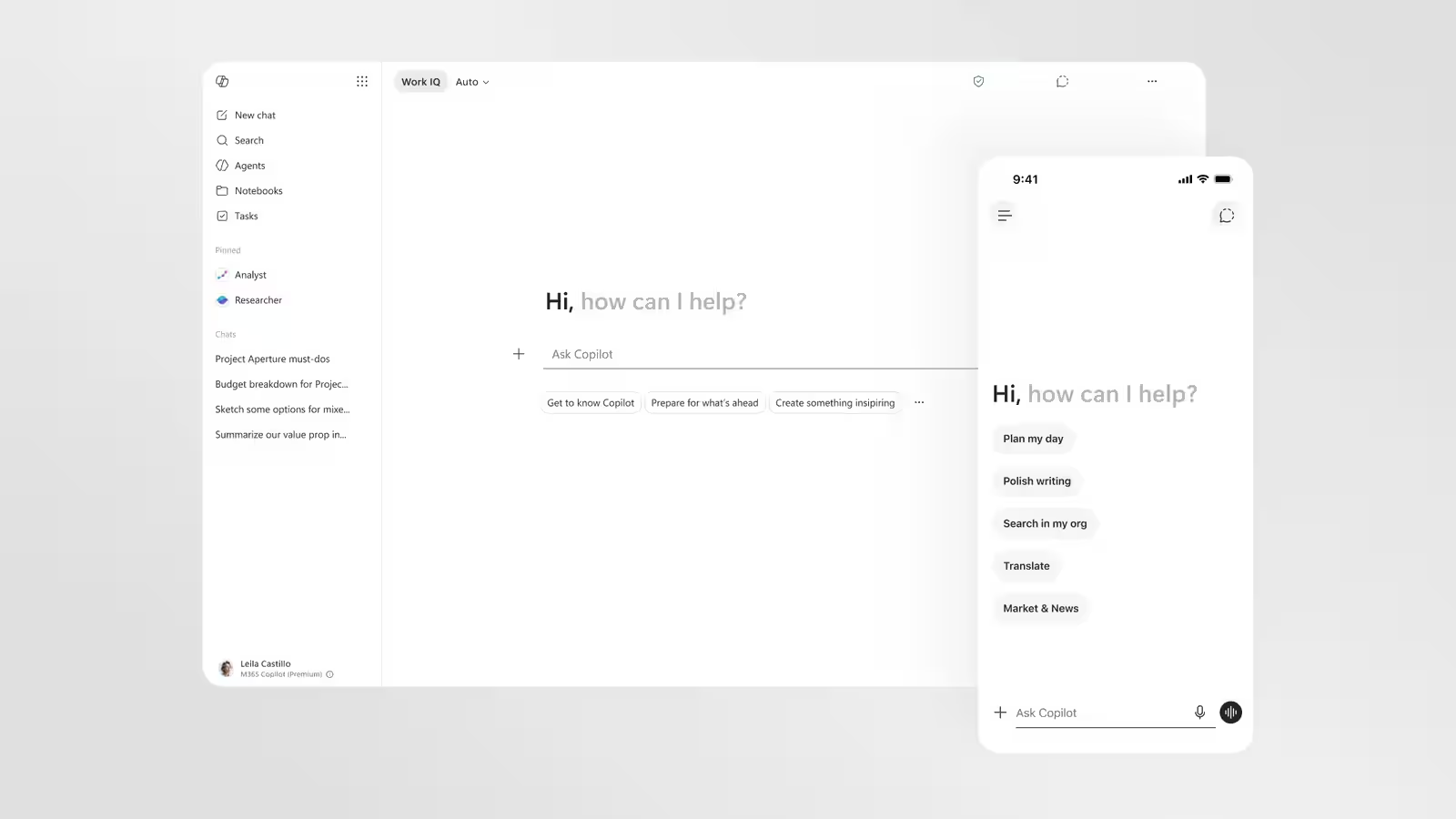
Image: ixbt.com
Microsoft is pushing a major refresh to Microsoft 365 Copilot, and this update is about more than a prettier interface. The assistant now opens twice as fast as before, answers complex questions 10% faster, and arrives with a redesigned workflow that shows fewer controls at once and surfaces them only when needed.
That shift is Microsoft admitting something many AI tools still struggle with: too many buttons make a smart assistant feel clumsy. By reducing visual noise and stretching the prompt box into a larger, expandable input area with built-in text formatting, Microsoft 365 Copilot is trying to feel less like a chatbot bolted onto Office and more like part of the documents people already work in.
A cleaner Microsoft 365 Copilot interface
The new design follows a “progressive disclosure” approach, which is a fancy way of saying Copilot will stop dumping every option on screen at once. Instead, the interface adapts to the request and reveals tools only when they are relevant. That should make the assistant easier to use for casual users, while also cutting down on the kind of UI clutter that can turn powerful software into a minor headache.
Microsoft has also added a side panel for extra elements, making navigation simpler and giving the main canvas more room to breathe. For a product that lives inside Word, Excel, and the rest of Microsoft 365, that matters more than it sounds: AI tools are only useful if they do not interrupt the flow of work every time you ask a question.

Recommended reading
xAI Opens Grok Build and Drops Usage Limits
Work IQ and in-app actions
Inside Office apps, Copilot can now be called directly from a paragraph or a spreadsheet cell to handle local tasks. That tighter integration is where Microsoft keeps trying to separate its assistant from generic chatbots, because context inside a document is often more valuable than a polished answer from a blank chat window.
The update is powered by Work IQ, the intelligence layer behind the new context-aware actions, and users can also choose between different AI models depending on the task. That flexibility is becoming a quiet arms race in productivity software, with rivals pushing their own assistants into work apps while users increasingly ask the same blunt question: does it actually save time?
Why Microsoft 365 Copilot feels faster now
The answer here is probably “yes, a bit more than before.” Faster loading and quicker responses are not glamorous, but they are exactly the sort of improvements that decide whether people keep using an AI assistant or forget it exists. The real test will be whether the cleaner design and model choice make Copilot feel less like a demo and more like the default way to get work done in Microsoft 365.

AI Editor
Ava covers the rapidly evolving world of artificial intelligence, from foundational models and research labs to the real-world economics of intelligence. With a background in computational linguistics, she cuts through the hype to find out what actually works. She firmly believes that benchmarks are just marketing until reproduced in the wild.
via ixbt.com