• 4 min read
Fliki review: powerful AI video tools, limited free plan
Fliki offers prompt-based video creation, AI Copilot editing, and broad customization, but its free plan is restrictive and exports cap at 1080p.
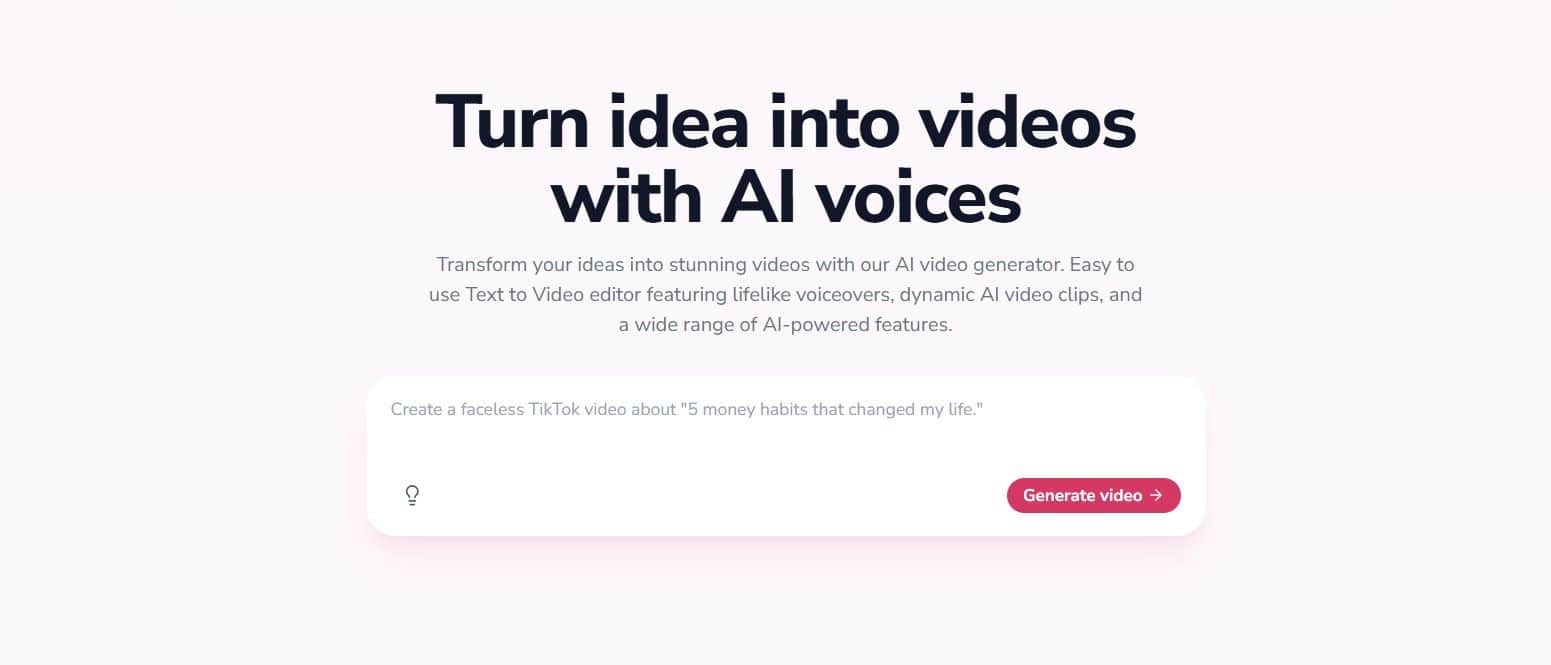
Image: TechRadar
Fliki is a capable AI video generation and editing platform with a beginner-friendly redesign, natural-language editing, and a broad set of creative tools. TechRadar says it is trusted by more than 12 million users and 50,000 companies, including Meta, ByteDance, Oracle, and PayPal.
The platform lets users create videos from prompts, generate scripts and images, and edit projects through an AI Copilot. Its main drawbacks are a restrictive free plan, relatively high pricing without discounts, and a maximum export resolution of 1080p.
Fliki plans and pricing
Fliki’s free plan provides three credits per month, or 36 credits per year. Exports are limited to one minute at 720p, with access to 300 standard voices. TechRadar found the allowance too small for meaningful use: a one-minute AI video costs around 0.8 credits, while a video with an AI avatar can cost around 5.3 credits.

Recommended reading
VK and Max searches surged after app-store removals
The paid options are:
- Standard: $28 per month, currently discounted to $14 per month; includes 2,160 credits per year and exports up to 15 minutes in 1080p.
- Premium: $88 per month, currently discounted to $44 per month; raises the export limit to 40 minutes, while retaining the 1080p cap.
Standard includes voice cloning, custom voices, Brand Kits, templates, bulk video creation from a CSV file, an AI assistant, and Zapier integrations. It does not include team collaboration. Premium adds unlimited AI avatars, custom fonts, faster exports, and team collaboration.
Fliki also sells credit top-ups to active subscribers. Credits remain valid for up to 180 days, including if the subscription is canceled during that period. Packages include 60 credits for $10 and 130 credits for $25, with options available up to $2,500 worth of credits.
Features and interface
Fliki offers as many as 54 tools for creating and editing videos and images. Its use cases include social media reels, TikTok videos, and faceless YouTube channels. Other features include AI avatars, an AI Script Writer, voice cloning, subtitle generation, Talking Photo, background removal, translation, and screen recording.
The platform’s avatars are largely based on real people, rather than the fictional characters available through competitors such as Kapwing.
Recent additions include Flux Klein 2 and Nano Banana 2 for images, Kling 3.0 and Seedance 2.0 for video, native audio, multi-shot generation, and P-Video for video and lip-syncing. Fliki also added 130 character-driven voices across more than 20 languages. In February 2026, it rebuilt its voice system to support emotions including laughing, sarcasm, and deadpan, adjustable through natural-language descriptions.
The platform supports YouTube-licensed music, reusable AI characters, and stop-motion story videos with needle-felted wool puppet visuals. Its TikTok auto-publishing feature can post immediately or release episodes on a drip schedule after users connect their account in Workspace Settings.
The redesigned dashboard uses a black background with red feature tabs beneath the prompt box. A left-side panel provides access to Media, Subtitles, Audio, AI Copilot, and templates, although several functions are locked on the free plan.
The AI Copilot is the strongest part of the editing experience. Users can describe changes in plain English, such as slowing down an introduction or adding a text overlay. Fliki provides both a horizontal scene reel with a full timeline and a traditional timeline with zooming and snapping controls.
Testing Fliki’s video generation
TechRadar tested the free version with this prompt: “A woman in a red coat walks across a rain-soaked city street at night, neon signs reflecting in the puddles, camera slowly tracking alongside her.”
The reviewer praised Fliki’s customization options but found the minimum generation length of 30 seconds limiting. After entering a prompt, the platform creates a script that users can edit before selecting the format, template, orientation, character type, AI model, voiceover, captions, and avatar.
Rendering took less than a minute. However, the free tier did not generate a full AI video in the test; it produced still images with voiceovers instead. That compares poorly with Kapwing’s free offering.
Fliki alternatives and verdict
Adobe Firefly costs around $8.49 per month, about 40% less than Fliki during the discount period. It offers stronger team workflows, virtual storyboards, real-time collaboration, Adobe Express Premium, and Photoshop, although its video editing tools are still developing.
Kapwing costs $16 per month but offers more fictional AI avatar options, including Dracula and vampires, plus 4K exports of up to 120 minutes. Its free plan can create AI videos rather than limiting users to still images and voiceovers.
Fliki is an easy-to-use, feature-rich choice for creators who value prompt-based production and natural-language editing. Its free tier is primarily a trial, while the 1080p ceiling is a significant limitation against competitors offering 4K exports.

Computing Editor
Tomas lives in the terminal. He covers chips, laptops, and operating systems with a focus on performance and efficiency. He reads kernel changelogs the way other people read fiction, and he's always on the hunt for the perfect mechanical keyboard switch. If it processes data, Tomas has an opinion on it.
via TechRadar