• 5 min read
Best Windows laptops in 2026 by budget and use case
Shopping for the best Windows laptops in 2026 is less about finding something “good” and more about avoiding the wrong compromises. With Windows 10 support ending in October 2025 and many older machines unable to move to
Shopping for the best Windows laptops in 2026 is less about finding something “good” and more about avoiding the wrong compromises. With Windows 10 support ending in October 2025 and many older machines unable to move to Windows 11, replacing one now is often a security decision as much as a performance one.
The good news: there are strong options at almost every price point. The bad news: budget laptops are still budget laptops, so the real question is where to stop spending and which spec to protect at all costs. RAM is the easy one – 16GB is the sweet spot if you can swing it.
What to prioritize before you buy
Before you compare brand names, focus on the parts that shape daily use. A 256GB SSD can work, but 512GB is a far more comfortable baseline, while eMMC storage should be treated like a warning label. For processors, Intel Core Ultra, AMD Ryzen 5 and 7, and Qualcomm Snapdragon X are the families worth your attention; Intel Celeron and Pentium are not where you want to land if the laptop has to do real work.
Display and battery claims matter too. Full HD should be the floor, and anything promising less than 8 to 10 hours of battery life is already telling you where the corners were cut. That matters even more now that Windows laptops are competing not just with each other, but with thinner, longer-lasting ARM-based machines from both Microsoft and Qualcomm partners.
Recommended reading
Canon may launch three EOS R cameras in 2026
Best Windows laptops under $700
This is the range where most buyers should start, because the jump from truly cheap machines to competent ones is still meaningful. The ASUS Vivobook Go 15 stands out at around $409 with a Ryzen 5 7520U, 8GB of LPDDR5 RAM, and a 512GB SSD – an unusually generous storage setup at this price. The Acer Aspire Go 15 starts at $399.99 and is the safer no-drama pick, especially if battery life matters more than bragging rights; it is rated for up to 12 hours in testing.
- ASUS Vivobook Go 15: best for students who want the most storage for the money
- Acer Aspire Go 15: best for everyday use with better battery life
Move up a little and the value gets more interesting. The Lenovo IdeaPad Slim 3x is the wildcard here: at around $489.99, it brings 16GB of RAM, a Snapdragon X chip, Wi-Fi 7, and Copilot+ PC support. That ARM setup is excellent for battery life, but it can still trip over older Windows software, so it is smart rather than universal.
The Dell Inspiron 15 (3520), starting around $485, is the opposite approach: boring in the best way. Intel Core i5 options, up to 16GB of RAM, and a 512GB SSD make it an easy recommendation for school or office work, especially if you want something widely available and easy to buy from major retailers.
Mid-range Windows laptops that earn their keep
Once you get into the $700 to $1,100 bracket, Windows laptops stop feeling like compromises and start feeling like tools. The HP Envy x360 14, starting around $849.99, is one of the better all-rounders because it doubles as a laptop and tablet, has a 3:2 touchscreen, and ships with 16GB of RAM. It is the kind of machine that makes sense for someone who actually uses the hinge instead of just admiring it in a product photo.
Microsoft’s Surface Laptop 7, starting at $999, goes after the same buyer with a more premium finish and a sharper 3:2 display. It uses Qualcomm’s Snapdragon X Plus, so battery life is the headline, and the trade-off is the same as on other Windows on ARM machines: excellent endurance, possible compatibility headaches with older software. For many people, that is a fair exchange; for others, it is an expensive way to rediscover installer errors.
Premium Windows laptops above $1,100
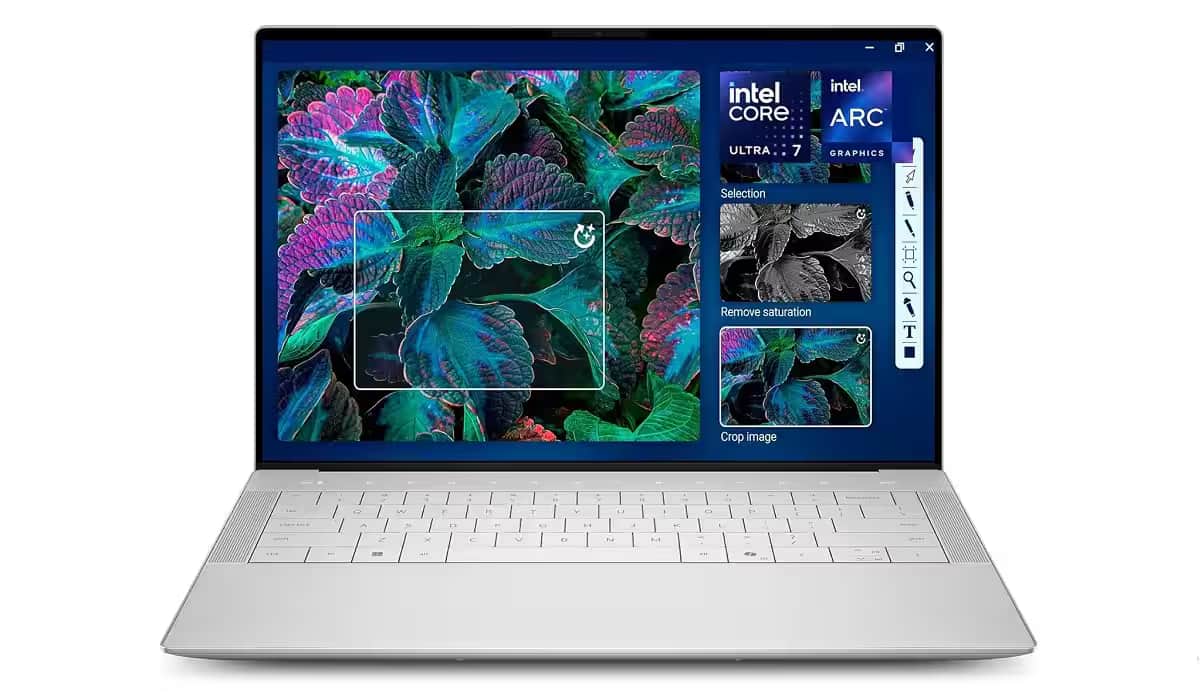
At the top end, the Dell XPS 14 (2026) is the clear statement piece. Starting around $1,799, it comes with Intel’s Panther Lake processors, a redesigned chassis, and OLED options that push prices to around $2,200. It is also one of the few Windows laptops that can credibly go toe-to-toe with the MacBook Pro 14, which is the comparison Dell clearly wants.
That said, most buyers should pause before jumping this high. The XPS 14 is better built, brighter, and more capable than cheaper models, but everyday email, browsing, and office work will not feel twice as good because the price is twice as high. If you want a premium screen, better materials, and enough power for serious creative work, it makes sense; if not, the mid-range is where the smart money still lives.
- Best budget value: ASUS Vivobook Go 15
- Best battery-focused pick: Lenovo IdeaPad Slim 3x
- Best versatile mid-range option: HP Envy x360 14
- Best premium Windows ultrabook: Dell XPS 14 (2026)
The next shift to watch is how quickly Windows on ARM moves from “interesting” to “default.” If software support keeps improving, laptops like the IdeaPad Slim 3x and Surface Laptop 7 will keep pressuring Intel-based rivals by doing more with less power. If not, the old x86 safety net will keep winning cautious shoppers – especially anyone buying a laptop to last more than one upgrade cycle.
Computing Editor
Tomas lives in the terminal. He covers chips, laptops, and operating systems with a focus on performance and efficiency. He reads kernel changelogs the way other people read fiction, and he's always on the hunt for the perfect mechanical keyboard switch. If it processes data, Tomas has an opinion on it.