• 4 min read
Understanding advanced monitor resolutions: WUXGA, QWXGA, WQHD, and WQXGA explained
The evolution beyond Full HD has given rise to a new generation of display resolutions that deliver more screen space and sharper detail, catering to professionals and gamers alike. After covering entry-level and mid-ran
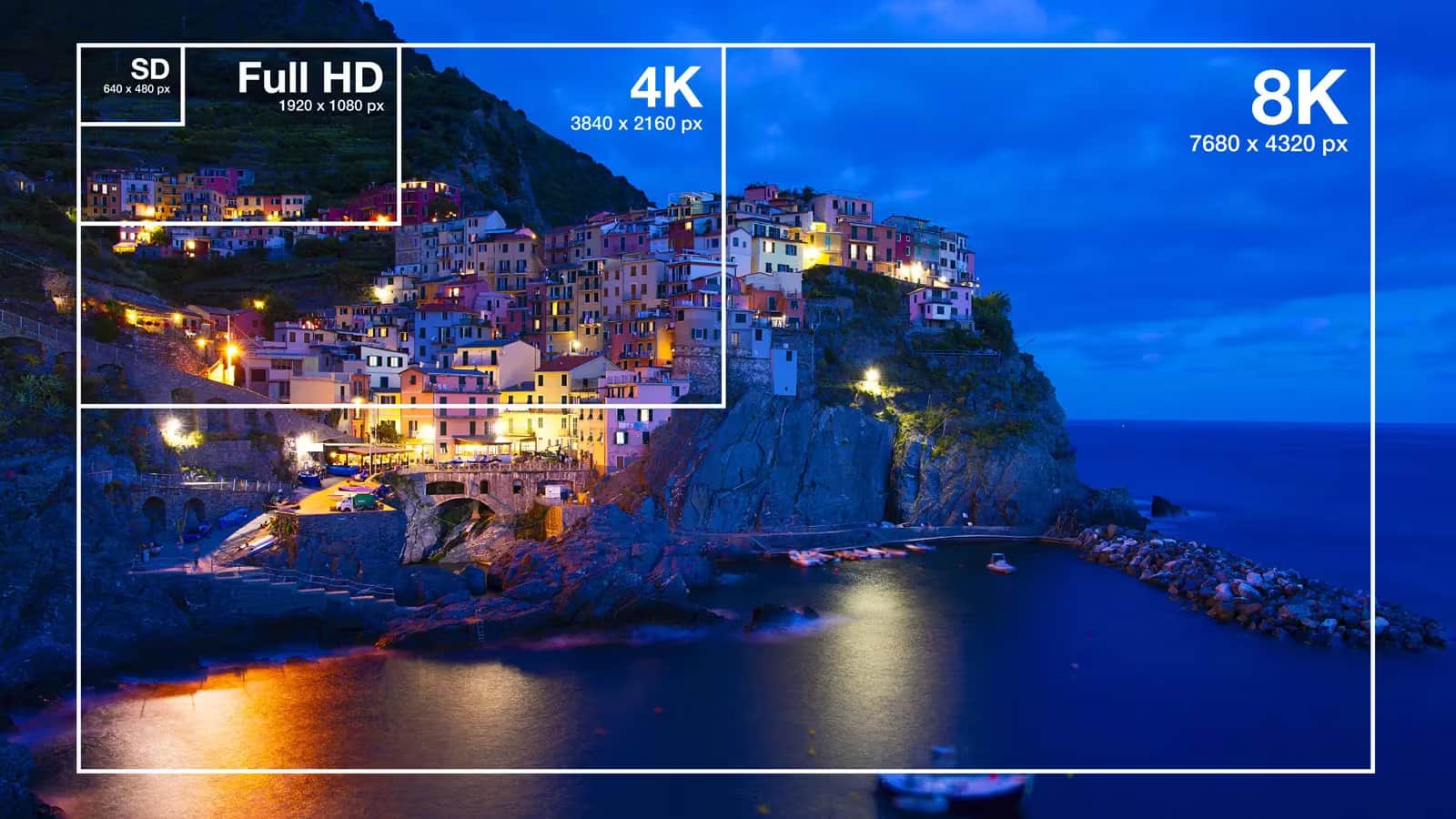
The evolution beyond Full HD has given rise to a new generation of display resolutions that deliver more screen space and sharper detail, catering to professionals and gamers alike. After covering entry-level and mid-range standards like WXGA, WXGA+, HD, and Full HD in our first article, we now dive into more advanced resolutions: WUXGA, QWXGA, WQHD, and WQXGA. We’ll break down how they differ, where you find them, and which tasks they excel at.
WUXGA: The business laptop and professional monitor staple
WUXGA, or Wide Ultra Extended Graphics Array, offers a resolution of 1920×1200 pixels with a 16:10 aspect ratio. While it shares the same 1920-pixel width as Full HD (1920×1080), it adds 120 extra pixels vertically, granting more usable workspace.
This vertical boost makes a tangible difference when juggling text documents, programming code, spreadsheets, or multiple browser windows-it fits more lines on screen and reduces scrolling fatigue. That’s why many business laptops and ultraportables now favor WUXGA for its balance of clarity and productivity.
Advantages include sharp image quality, expanded workspace, and solid compatibility with modern software. This standard is especially preferred by developers, designers, editors, and anyone handling large volumes of information daily. The trade-offs? Higher device costs compared to Full HD models and a more limited selection of displays. Plus, 16:9 videos may show thin black bars at the top and bottom.
Recommended reading
Nvidia commits $1 billion to South Korea’s AI buildout
QWXGA: A rare mid-tier resolution
Quad Wide Extended Graphics Array (QWXGA) sports a 2048×1152 pixel resolution and was designed as a middle ground between Full HD and more advanced formats like WQXGA. Upon release, it promised greater detail and more screen real estate for professional applications.
While it appears on some specialized monitors and niche laptops, QWXGA hasn’t gained widespread adoption. Its potential was quickly overshadowed by WQHD, which offers even higher resolution and soon became the preferred standard for mid-range to high-end displays.
QWXGA delivers good sharpness and extra workspace with moderate hardware demands-offering noticeably crisper images than Full HD, along with space for more interface elements. The downside remains its rarity; finding monitors or laptops featuring this resolution today is challenging. Developers and hardware makers generally stick to more popular resolutions like Full HD, WQHD, or 4K UHD.
WQHD: Sweet spot for gamers and professionals
Wide Quad High Definition (WQHD) is now one of the most popular resolutions, especially in gaming and creative fields. Also called 2K in market hype (though not strictly accurate), it boasts a classic 2560×1440 pixels resolution with a 16:9 aspect ratio.
WQHD nearly doubles Full HD’s pixel count, delivering sharper, more detailed images without the demanding hardware requirements of true 4K UHD. This sweet spot makes it a popular choice for mid- to high-tier gaming PCs, with many modern GPUs able to run demanding titles smoothly at this resolution.
Benefits include excellent image clarity, a large desktop space, and versatile applications-from gaming to photo editing, video production, 3D modeling, and everyday office work. On 27- to 32-inch screens, WQHD is often regarded as the ideal resolution.
The main drawback is the increased load on the GPU-high-end graphics cards are recommended for playing modern games at max settings. Monitors and laptops with WQHD tend to be pricier than their Full HD counterparts.
WQXGA: More vertical space for professionals
Wide Quad Extended Graphics Array (WQXGA) ups the ante with a resolution of 2560×1600 pixels, using a 16:10 aspect ratio just like WUXGA. This means it provides 160 additional vertical pixels compared to WQHD, offering extra screen real estate for more productive workflows.
While the difference between WQHD and WQXGA might seem minor on paper, the taller screen real estate really shines when working with long code files, spreadsheets, or text-heavy content-fewer scrolls, more efficient multitasking. That’s why many software developers, engineers, architects, photo editors, and designers prefer 16:10 displays.
WQXGA stands out for combining high pixel density with a practical, productivity-friendly format. It provides a nearly perfect balance of image detail and usable space, making it well-suited to professional use and future-proofing investments.
The flip side? Devices with WQXGA are pricier, and running modern games or complex graphics tools smoothly demands powerful GPUs. Plus, the format remains somewhat niche compared to the far more common WQHD and Full HD standards.
In the final part of this series, we’ll explore even higher resolution monitors-WQUXGA, 4K UHD, 5K, and 8K-and what they bring to the table.
AI Editor
Ava covers the rapidly evolving world of artificial intelligence, from foundational models and research labs to the real-world economics of intelligence. With a background in computational linguistics, she cuts through the hype to find out what actually works. She firmly believes that benchmarks are just marketing until reproduced in the wild.