• 3 min read
The $399 reMarkable Paper Pure cuts out distractions
The $399 reMarkable Paper Pure delivers focused, distraction-free writing with a sharper 10.3-inch display, new calendar tools, and improved note search.
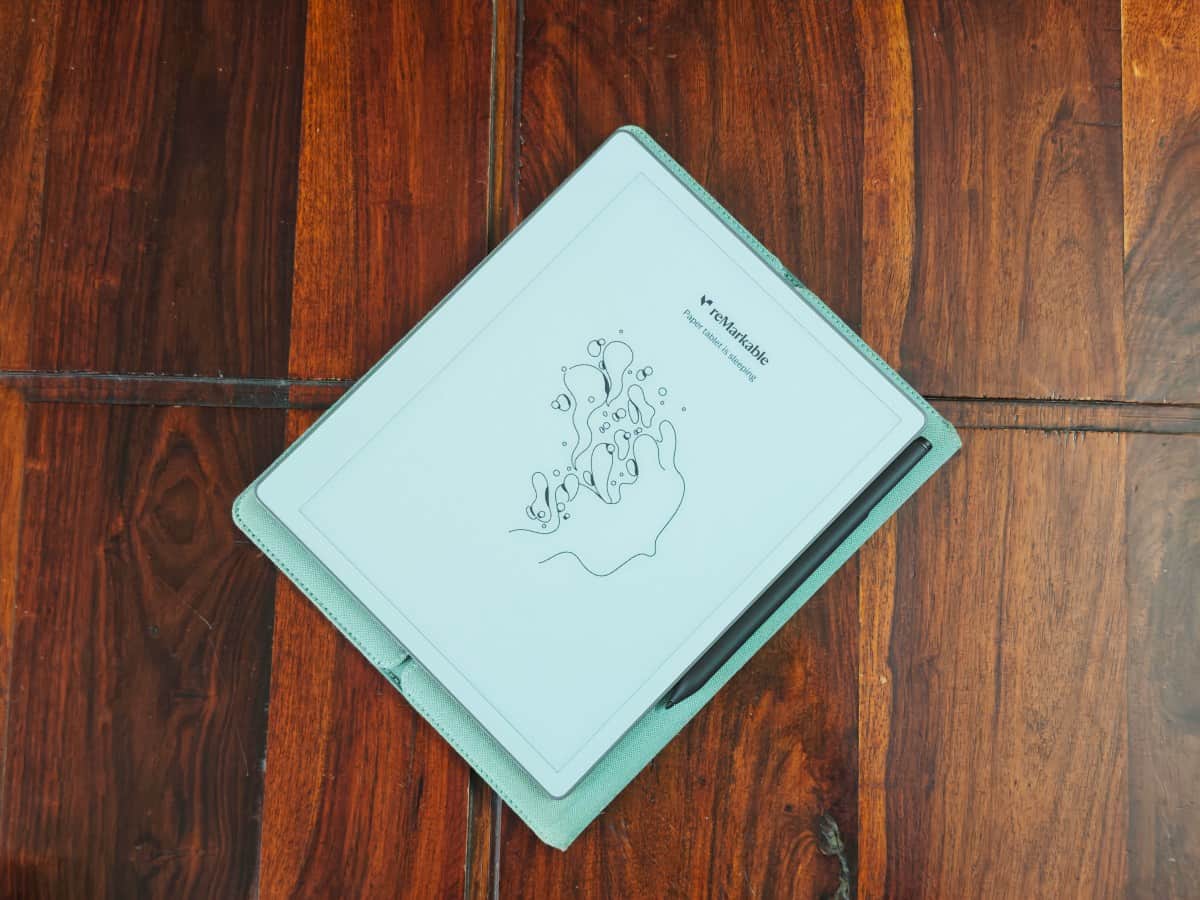
Image: TechCrunch
The $399 reMarkable Paper Pure is built around a simple idea: writing on a digital device without the distractions of phones, tablets, or laptops. It has no notifications or multitasking apps, targeting writers, designers, and researchers who want a focused space for reading and writing.
To review it, I wrote the entire review on the tablet using its handwriting-conversion feature, then edited the text in WordPress. The Paper Pure replaces the reMarkable 2, released six years ago, and returns to the company’s original monochrome notebook format after the $499 Paper Pro and the smaller Paper Pro Move.
Paper Pure hardware and writing experience
The Paper Pure retains the reMarkable 2's 10.3-inch display, but the resolution is arranged to make the screen wider and shorter. That horizontal layout fits more text on each line, whether you are reading or writing. Compared with the reMarkable 2, the writing experience also feels crisper.
Image credit: Ivan Mehta
New software features make it easier to work with content beyond the tablet. Handwriting search now works across notes, and calendar syncing lets you open meeting details from the device’s calendar icon before taking notes within the relevant meeting block.
Recommended reading
Stenchill Makes PCB Stencils Printable at Home
Once a meeting ends, handwritten notes can be converted and shared with one tap. reMarkable sends an email containing a link to the notes, which can also be shared with other people. Notes can likewise be accessed through the company’s new web app.
Reading, documents, and pricing
The company has improved the reading workflow by allowing users to send articles to the tablet as native notebooks. That makes it easier to highlight passages, add notes, and send the material to the web app. Articles are not placed in a separate folder by default, however, which can make organization less convenient.
Performance with documents has also improved. Drive, Dropbox, and OneDrive can be integrated to import and export files, with imported documents converted into notebooks for editing. PDF handling remains a weakness: importing the Paper Pure review guide cut off the edges. Although the tablet supports ePUB, its reading experience is well behind a dedicated e-reader such as Kindle.
Image credit: Ivan Mehta
reMarkable’s product positioning is clear. The Paper Pure is primarily a work device for note-taking, sketching ideas, and reading articles or documents—not an all-purpose gadget for reading books and taking notes.
The minimalist approach works especially well for writing. A MacBook can pull attention toward open tabs and other apps, while an internet-connected device may be too distracting for developing story ideas. After using the Paper Pure more extensively, carrying it alone to jot down ideas or start rough drafts became easier, and its handwriting conversion proved reliable even with messy writing.
The $399 base model includes a stylus. A $449 bundle adds a Marker Plus stylus with an eraser and a sleeve folio available in various colors. At that price, the Paper Pure is not inexpensive—but its distraction-free writing experience delivers on the device’s central promise.

Computing Editor
Tomas lives in the terminal. He covers chips, laptops, and operating systems with a focus on performance and efficiency. He reads kernel changelogs the way other people read fiction, and he's always on the hunt for the perfect mechanical keyboard switch. If it processes data, Tomas has an opinion on it.
via TechCrunch