• 2 min read
Huawei MatePad Air weighs just 509 g
Huawei’s MatePad Air pairs a 12-inch PaperMatte OLED display with a 509 g body, 66 W charging and a drawing-focused design.
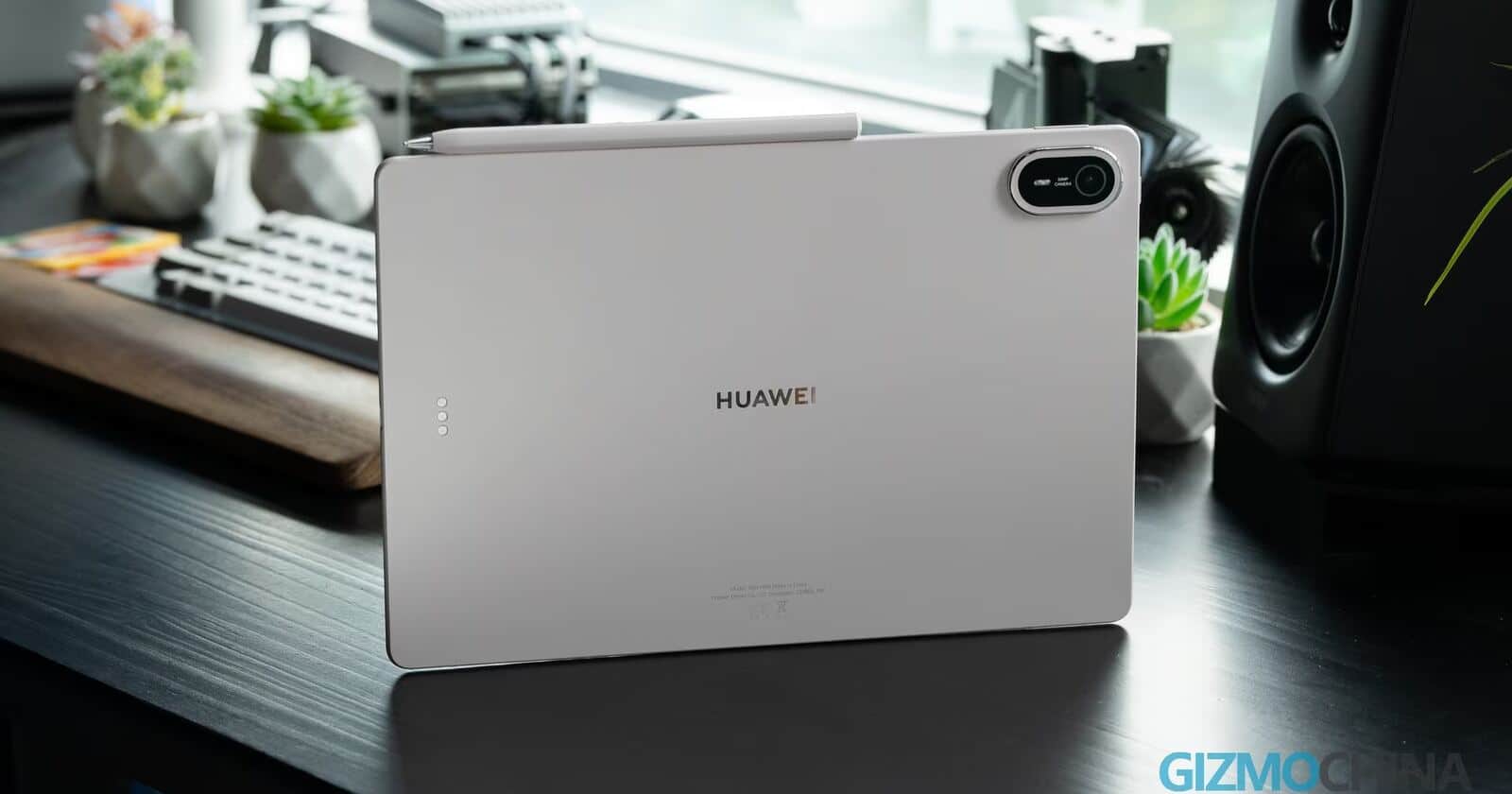
Image: gizmochina
Huawei is emphasizing how the MatePad Air feels to use, rather than chasing raw performance. The tablet combines a 12-inch PaperMatte OLED display with a 5.3 mm body and a weight of about 509 g, making it easy to carry every day rather than reserve for occasional use.
Its focus is clear: notes, sketches, document editing and office work, where the screen and stylus matter more than benchmark records. That gives Huawei a distinct position against premium tablets from Apple and Samsung.
Image credit: gizmochina
Recommended reading
China’s CXMT rises as RAM prices stay high
The box includes a charger, USB cable and transparent case. Huawei sells the proprietary keyboard and stylus separately, along with a screen-cleaning cloth, so the accessories needed for drawing and writing are not part of the standard package.
Performance and battery life
Huawei has not disclosed the exact model of the tablet’s Kirin processor. In everyday use, however, the MatePad Air reportedly feels responsive: HarmonyOS 4.3 launches apps quickly, switches between windows without pauses and handles multitasking reliably.
The tablet is available with 8 or 12 GB of RAM, but storage is limited to a single 256 GB option. That may be restrictive for users who keep many large creative projects locally.
Image credit: gizmochina
A 10,100 mAh battery suits a tablet of this size, while 66 W fast charging should reduce downtime before trips or long work sessions. With moderate use—including streaming, browsing and light document work—the MatePad Air can last through the day.
A tablet built around pen input
Against the iPad Air and Samsung Galaxy Tab S lineup, Huawei is not trying to win every performance comparison. Instead, it is prioritizing a large, high-quality display, low weight and workflows built around drawing and handwritten notes.
Image credit: gizmochina
With the PaperMatte display as the default option and a case included, the MatePad Air is a focused choice for people who plan to draw and write on a tablet every day—not simply another general-purpose compromise.
Computing Editor
Tomas lives in the terminal. He covers chips, laptops, and operating systems with a focus on performance and efficiency. He reads kernel changelogs the way other people read fiction, and he's always on the hunt for the perfect mechanical keyboard switch. If it processes data, Tomas has an opinion on it.
via ITzine