

Meeting bots are fine if your working life lives and dies inside Zoom. Most people’s workday does not. That’s why AI earbuds are starting to look smarter than tools like Otter.ai and Fireflies for anyone whose conversations happen on the phone, in hallways, on client visits, or in the car with the engine still running.
The split is simple: meeting bots join scheduled video calls, while AI earbuds stay with you everywhere else. That matters because a lot of the details people actually need to remember are never spoken in a neat calendar invite. The irony is hard to miss – the tools built for productivity often stop right where real work begins.
What Otter.ai and Fireflies actually cover
Otter.ai and Fireflies do exactly what they promise. You link your calendar, they join supported meetings, and they record, transcribe, and summarize the call. Otter.ai also offers live captions, while Fireflies leans on post-call transcription. Useful? Absolutely. Enough for modern work? Not even close.
There are hard limits baked into the model. Otter.ai supports only English, French, and Spanish. Fireflies supports over 100 languages, which is better, but neither can follow you into a phone call or an in-person conversation. These are desktop-first tools, which is another way of saying they stop being useful the moment you leave the desk.
Why unscheduled conversations are the real problem
Most important exchanges don’t happen in polished video meetings. They happen between meetings, during a quick call from a manager, or in a five-minute chat with a colleague before a presentation. Those moments are easy to underestimate until you realize they’ve turned into the one detail you needed and didn’t write down.
This is where the category starts to shift. AI note-taking is moving away from the meeting as the unit of work and toward the person as the unit of capture. That’s a better fit for how professionals actually operate, especially in hybrid work where a day can include desk time, travel, calls, and face-to-face conversations in no tidy order.
viaim’s earbuds take the capture job everywhere
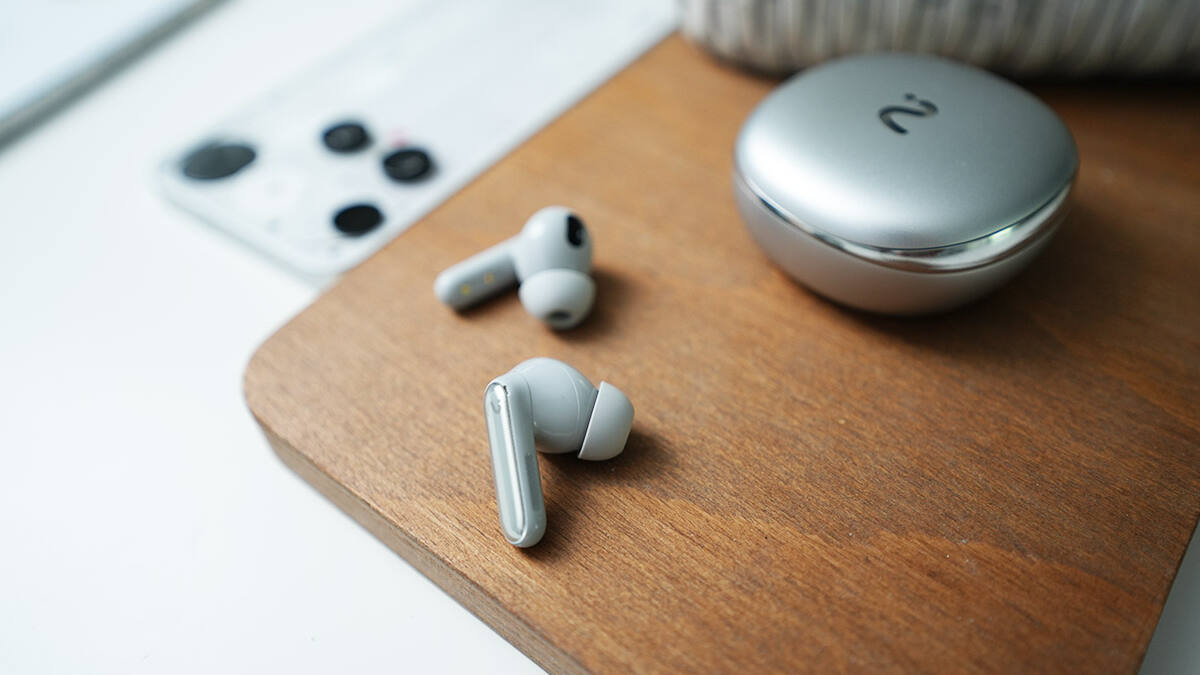
viaim’s RecDot is built around FlashRecord, a one-tap recording system that works from the earbuds or the charging case. No app hunt, no phone unlock, no ritual. Tap once and it starts recording, which is exactly the sort of low-friction behavior that makes people actually use the feature when the moment matters.
After that, the platform generates a summary, pulls out action items, and creates a transcript. It also supports transcription and translation across 78 languages, and its Vitana AI assistant can search your conversation history later. For teams that need stronger governance, viaim says the lineup carries ISO 27001, SOC 2 Type II, and HIPAA certifications.
- AI earbuds: capture phone calls, in-person chats, and scheduled meetings
- Meeting bots: capture supported video calls only
- viaim language support: 78 languages
- Otter.ai language support: English, French, and Spanish
- viaim pricing starts at $169.99 and includes 600 free transcription minutes per month
viaim earbuds focus on hardware first
viaim also avoids the usual trap of making the AI feel like a gimmick bolted onto mediocre headphones. The lineup includes in-ear and open-ear options, active noise cancellation up to 48dB, Hi-Res audio codec support, and up to 19 hours of battery per charge depending on the model. In other words, they are earbuds first, and recorders only when needed.
That’s the smarter play. Dedicated capture gadgets are easy to forget at the exact moment you need them; earbuds are already there. It is the same reason phones won the pocket-notes war years ago. The best productivity tool is usually the one you were already carrying.
AI earbuds versus meeting bots for full-day coverage
Meeting bots will keep their place in scheduled calls, especially for teams that live inside Google Meet or Zoom. But the broader market is clearly moving toward ambient capture across the whole workday, and earbuds have the cleaner advantage because they travel with the user instead of waiting for the calendar to cooperate.
That leaves a pretty obvious question: if your work includes more than one kind of conversation, why use a tool that only understands one? For a growing number of professionals, the answer may be to stop treating recording as a meeting feature and start treating it as part of the earbud itself.