

A quiet security deadline is creeping up on Windows PCs: the original Secure Boot certificates are set to expire in June 2026, and some machines will need manual help before then. Microsoft is pushing replacement certificates to many systems, but if your device is older, out of date, or simply missed the update train, a quick check now is a lot better than discovering the problem later.
The good news is that you can verify your status in minutes, and there are three realistic paths: an automatic Windows update, an OEM firmware package, or a registry-based workaround for supported Windows 11 systems. Windows 10 users have far fewer options, which is classic Microsoft: the software may be ”supported,” but the firmware bits apparently got the memo much later.
How to check Windows Secure Boot certificate status
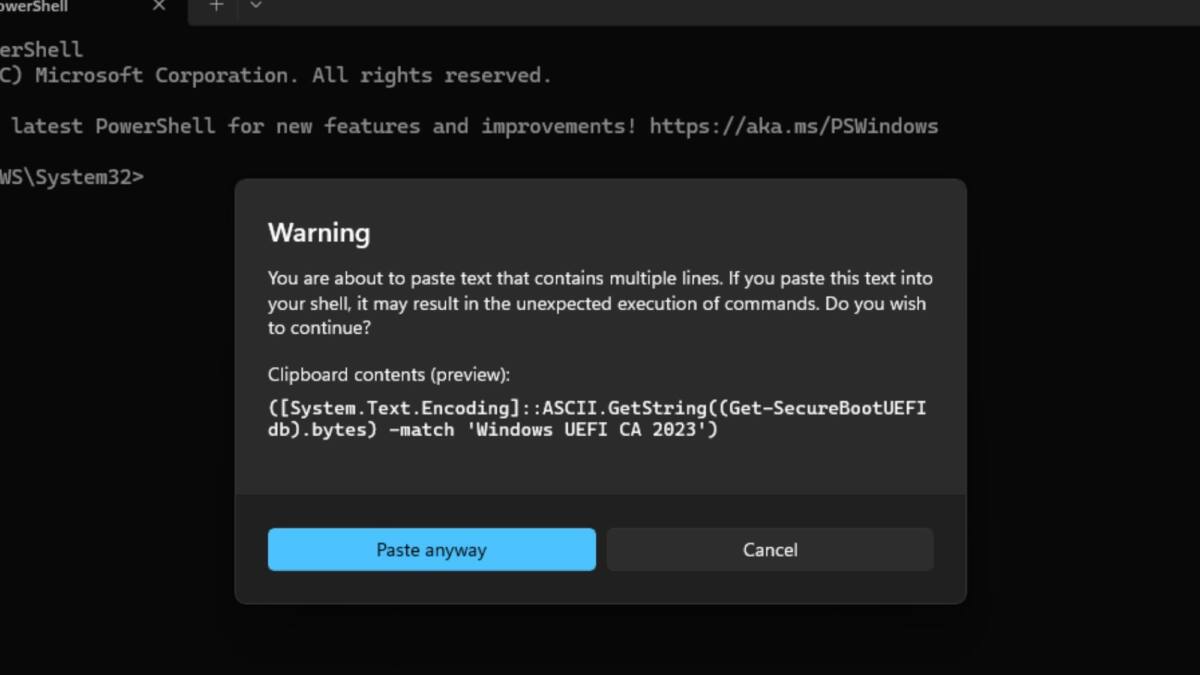
The fastest way to see whether your PC already has the updated certificates is through PowerShell. Open the Start menu, search for PowerShell, run it as administrator, and paste the command Microsoft has documented for this check. If it returns True, your machine already has the Windows UEFI CA 2023 certificates. If it returns False, you still need to update.
Windows Update and OEM firmware fixes
If the check comes back False, start with Windows Update. For many Windows 11 PCs, that is where the replacement certificates are arriving, and a regular update may already be waiting in the queue. If that does nothing, the next stop is your PC maker’s support page, because older systems often depend on firmware packages from Dell, HP, Lenovo, ASUS, and similar vendors rather than Microsoft itself.

Registry workaround for supported Windows 11 PCs
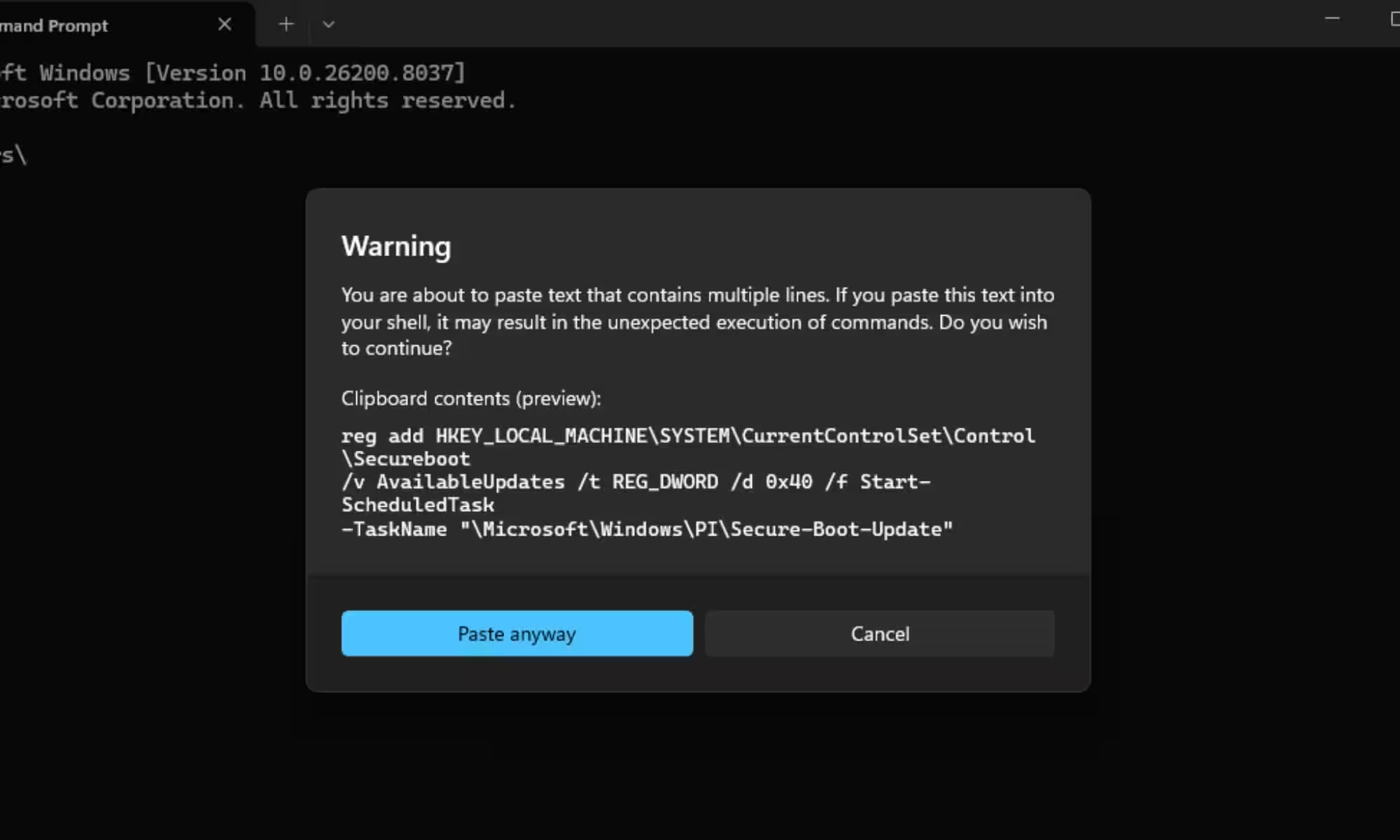
When firmware updates are unavailable but the PC can still run a supported version of Windows 11, Microsoft has a fallback method that skips BIOS changes. It uses an elevated Command Prompt, a registry change, and a scheduled task to force the Secure Boot update process, followed by a couple of reboots and then the PowerShell check again.
- Run PowerShell as administrator and check for ”Windows UEFI CA 2023”.
- If you see False, install pending Windows Update fixes first.
- Check your PC maker’s firmware page if the update still hasn’t landed.
- On supported Windows 11 PCs, use Microsoft’s documented registry and scheduled-task method.
Windows 10 users are in a tighter spot. Microsoft says unsupported versions will not get the updated certificates, and without an Extended Security Update subscription, there is no workaround on offer. If you are staying on Windows 10 for now, ESU is the only route that keeps you in line for the certificate update before the October 14, 2026 deadline.
That leaves one obvious question: how many people will actually notice this in time? Probably fewer than should. Secure Boot is one of those invisible foundations that only becomes interesting when it is about to break, which is exactly why checking now beats waiting for a mysterious boot problem later.