• 2 min read
WhatsApp adds iPad accounts and PDF edits
WhatsApp adds standalone iPad registration, PDF edits on desktop and web, improved car controls, and Spotify and Apple Music sharing in Status.
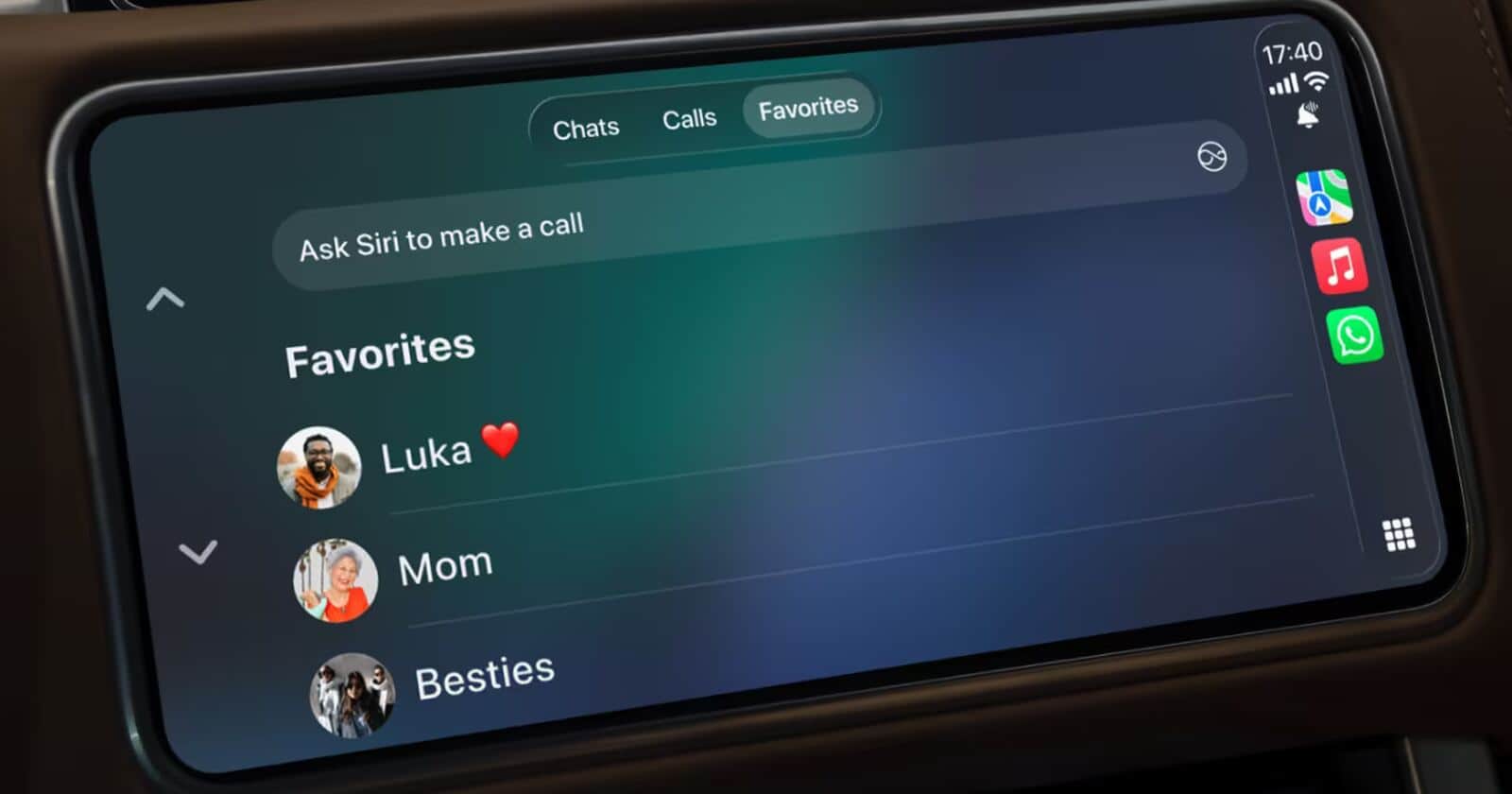
Image: ITzine
WhatsApp has released several practical updates covering iPad account registration, PDF editing, in-car controls, and music sharing in Status. For a service used by more than 2 billion people, the changes target everyday friction rather than introducing another major redesign.
WhatsApp account registration and PDF editing
The most notable addition is support for creating a new WhatsApp account directly on an iPad, without requiring a mandatory link to a primary smartphone. That makes the tablet more viable as a standalone device instead of merely serving as a larger companion screen.
WhatsApp’s desktop and web versions can now open PDFs inside a chat, display them, and handle quick edits through Adobe Acrobat. The change is aimed at office conversations where a document needs a small correction without switching between the messenger, email, and a separate editor.
Recommended reading
560,000 AI apps hit Apple’s App Store in six months
The update adds:
- New account creation on iPad without smartphone linking
- PDF viewing and quick edits on desktop and web
- An updated audio mode for Apple CarPlay and Android Auto
- Access to call history, favorite contacts, and messages from a car’s display
- The ability to share tracks from Spotify and Apple Music to WhatsApp Status
WhatsApp updates for cars and Status
For drivers, WhatsApp has reworked its audio mode for Apple CarPlay and Android Auto. The app also brings call history, favorite contacts, and messages to the vehicle’s screen, reducing the need to handle a phone while driving.
Music sharing is similarly more direct. Songs from Spotify and Apple Music can now be sent to WhatsApp Status, letting users show what they are listening to without going through extra steps or leaving their familiar messaging app.
Taken together, the additions address several long-standing usability gaps across devices, document handling, cars, and Status. The most useful change may be the least flashy: opening a PDF, responding from an iPad, or reaching a favorite contact without unnecessary detours.
Computing Editor
Tomas lives in the terminal. He covers chips, laptops, and operating systems with a focus on performance and efficiency. He reads kernel changelogs the way other people read fiction, and he's always on the hunt for the perfect mechanical keyboard switch. If it processes data, Tomas has an opinion on it.
via ITzine