• 5 min read
Phishing is harder to spot — and MFA can fail
AI-written phishing, OAuth attacks, fake support calls and delivery scams are making fraud harder to spot — and MFA no longer guarantees safety.
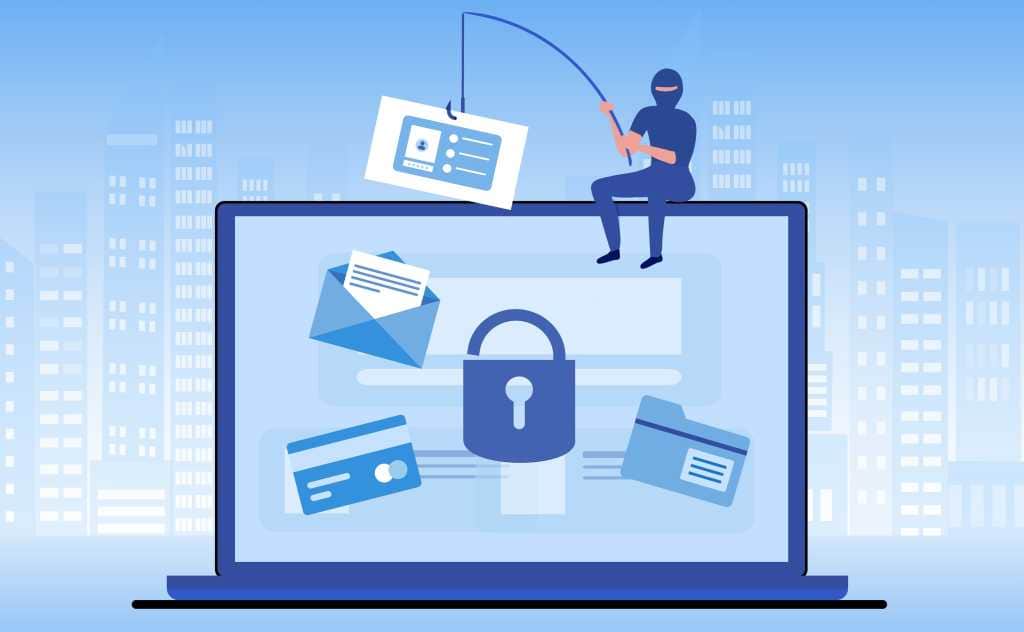
Image: PCWorld
Phishing has become harder to spot: generative AI now produces messages that are nearly perfect in language, structure, tone, and design. At the same time, attackers are using technical methods that can steal login credentials, session tokens, and personal data — sometimes even from accounts protected by two-factor authentication.
Here are seven scams highlighted by PCWorld, along with the warning signs that matter most.
Microsoft 365 attacks that bypass two-factor authentication
One of the most serious techniques abuses Microsoft’s legitimate OAuth device code flow, officially called the “OAuth 2.0 Device Authorization Grant.” The process is designed for devices and programs without a convenient browser or keyboard, including smart TVs, IoT devices, printers, and command-line tools.
Attackers send a message claiming that the victim’s Microsoft 365 session has expired or that a device must be re-authorized. The victim may first visit a fake website, but is eventually sent to Microsoft’s genuine authentication pages.

Recommended reading
Visa buys BioCatch for $2.4 billion to stop fraud earlier
The victim believes they are authorizing their own computer or phone. In reality, they approve an application controlled by the attacker. That application receives an access token and can then access the Microsoft account through an API without requiring the password again.
Many of these attacks hide the initial link inside a QR code. QR codes can evade some spam filters and push victims from a computer to a smartphone, where the smaller display and limited security software can make the deception harder to detect. Proofpoint has published a detailed analysis of the campaign.
Fake support and Microsoft Defender warnings
Support scams remain effective because they create immediate fear. Attackers may claim that a computer is locked or infected, using a phone call, email, or fake browser pop-up. They then pressure the victim to install remote-maintenance software or a security tool, which can provide full access to the machine.
A related scam impersonates Microsoft Defender, Windows' built-in antivirus feature. The fake warning says protection must be renewed for a fee and sends users to a fraudulent shop. Microsoft Defender is included with Windows and does not require payment for this renewal. Email warnings should be deleted; browser pop-ups should be closed, using Alt-F4 if necessary.
The Federal Office for the Protection of the Constitution and Germany’s Federal Office for Information Security have also issued guidance after attackers posing as Signal support staff contacted Bundestag President Julia Klöckner and other politicians. The attackers asked victims to enter their Signal PINs, gaining access to accounts, private chats, and contacts.
Cloud sharing and delivery-service traps
Cloud services are another attractive target because many people use them repeatedly for work. Instead of sending a suspicious attachment, attackers may send a realistic sharing notification titled “Document has been shared with you.” The file could appear to be an invoice, project plan, payslip, or internal document. Some campaigns use legitimate cloud platforms to host manipulated files, while the real goal is to steal cloud or email credentials and take over the account.
Parcel-delivery phishing remains equally persistent because deliveries are part of everyday life. Messages may arrive by email, text, or WhatsApp and now often include complete, dynamically generated tracking systems rather than a simple link.
Fake status updates such as “Delivery failed – please confirm address” or “Last chance to change the delivery date” create pressure. Victims may be asked for shopping or payment-service credentials, or told to pay a tax, processing fee, or express-delivery surcharge.
Banking emails and postal identity fraud
Banking phishing is not new, but the volume of attacks remains high. Examples reported in May 2026 included requests to confirm a mobile number, fake Commerzbank warnings about an overdue Photo-TAN update, Deutsche Bank messages demanding reactivation of a “photoTAN security certificate,” and phishing emails aimed at DKB customers.
The safest response is not to use links in a bank email. Open the bank’s website manually in a browser and check for messages after signing in, or call the bank directly.
The seventh scam arrives by physical mail. Fraudulent letters appear to come from a bank and ask recipients to confirm their details through Postident, the identity-verification service provided by Germany’s postal service. Victims who follow the instructions may unknowingly authorize a large loan with another bank. Losses of $15,000 to $25,000 are not uncommon.
Criminals may obtain the required personal information — including an address, main bank, employer, and income — from fake property listings. People applying for a home or apartment often provide payslips and other documents that contain everything needed for the fraud.
How to recognize and block phishing
Common warning signs include:
- Unsolicited contact about a credit, direct debit, payment, or account problem.
- Time pressure demanding an immediate response.
- Suspicious links, QR codes, inappropriate domains, or unusually long addresses.
- Requests for sensitive information by email, text, WhatsApp, or other messaging platforms.
- Generic greetings rather than your name.
Do not click links or scan QR codes when a message requests login, payment, or security information. Open the service by typing its address manually. A password manager that refuses to autofill can also serve as an early warning that the domain is fraudulent, as can browser security alerts.
Use MFA wherever available, with passkeys offering additional protection. Never install remote-support software after an unsolicited contact, and verify unexpected shared files with the sender — preferably by phone.
Security software can help, but it is a last line of defense rather than a substitute for caution. PCWorld cites antivirus suites such as G Data Internet Security, security-focused browsers including Norton Neo, and Bitdefender’s Scamio chatbot, which analyzes suspicious messages. The core change is clear: polished writing and official-looking pages are no longer evidence that a message is genuine.
Security Editor
Sophia unpacks the invisible wars happening on our networks. Covering cybersecurity, privacy legislation, and cryptography, she exposes how our data is weaponized and defended. Before joining for(geeks), she spent years as a penetration tester. She's the reason the rest of the team uses physical security keys.
via PCWorld