• 4 min read
Medion’s budget all-in-one gets the basics right
The Medion Signium 27 S1 is an affordable, upgradeable all-in-one with solid office performance, but a weak display, speakers, and accessories.
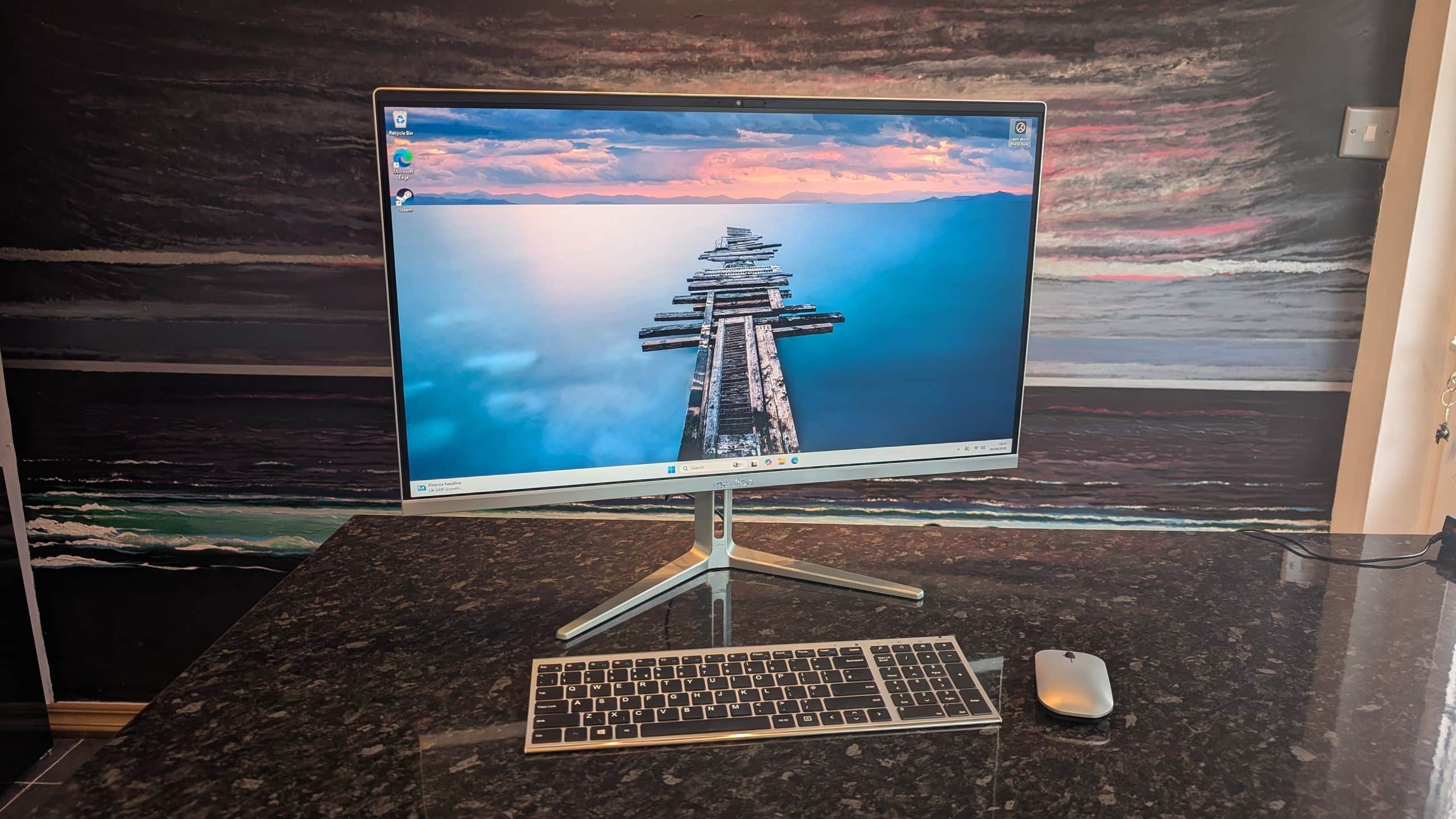
Image: TechRadar
The Medion Signium 27 S1 is a capable, budget-friendly all-in-one desktop that handles everyday work without demanding a premium price. It is not a standout performer, however: the display and speakers are mediocre, the bundled keyboard feels especially cheap, and the stand offers very little adjustment.
Medion, a German electronics company recently purchased by Lenovo, has built its reputation on affordable PCs and notebooks. The Signium follows that formula with a clean design reminiscent of Apple’s 24-inch iMac M4, but at a much lower price. Its build quality and accessories fall well short of Apple’s, while its hardware is aimed squarely at basic productivity.
Medion Signium 27 S1 price and specifications
The Signium 27 S1 starts at $875 / £649 (around AU$1,250) and is available now in the US, UK, and Australia. Configurations vary by region. The base model has an Intel Core 5 210H, 16GB of DDR5 RAM, and a 1TB M.2 SSD. The review unit used an Intel Core 7 240H, 32GB of DDR5 RAM, and the same 1TB SSD, with a listed price of $1,150 / £849 (around AU$1,635).
All versions include integrated Intel Arc Graphics, a 27-inch 1920 x 1080 IPS display with a 60Hz refresh rate and 400-nit brightness, Wi-Fi 6E, Bluetooth 5.3, and a 1080p webcam with a privacy shutter. Ports include Ethernet, two USB-C ports, four USB-A ports, HDMI-in, HDMI-out, and a combined audio jack.
The closest alternative is the HP OmniStudio X, which starts at $830 for a 27-inch 1080p model with an Intel Core Ultra 5 processor. HP offers slightly better performance and build quality, but its lowest-priced configuration is only available in the US. In the US and Australia, the Signium is sold exclusively through Aldi, where store-level pricing may vary. UK buyers can purchase it through Amazon or Medion’s website.
Recommended reading
Samsung 990 SSD Hits 7,250MB/s in India
Design, display, and upgradeability
The Signium looks sleek and is easy to assemble. Its metal base feels sturdy, but much of the rest of the system is plastic, including the bundled keyboard and mouse. The stand supports only a limited amount of tilt, with no height or rotation adjustment.
The port selection is strong for the price, and the HDMI-in connection lets the Signium work as a standalone monitor. The display is fine for office work, with slim bezels and an effective anti-glare coating, but its average color reproduction, 1080p resolution, and lack of HDR make it a poor choice for serious gaming or movie watching. A hidden 73.5Hz mode reduces the resolution to a blurry 720p, so 60Hz is the practical limit.
The RAM and SSD can be replaced by removing the back panel, giving the system useful upgrade potential. The keyboard and mouse are less successful: they imitate Apple’s Magic peripherals visually but feel cheap and unpleasant to use.
Performance and verdict
In testing, the review unit scored 2,409 in Geekbench 6 single-core and 10,227 in multi-core. It recorded 4,337 in 3DMark Fire Strike, 1,617 in Time Spy, and 16,686 in Night Raid. Civilization VI: Gathering Storm ran at 16 fps at 1080p with High settings.
For browsing, writing, video calls, and other office work, performance was responsive and reliable. More demanding games and creative applications expose the limits of the Core 7 240H and integrated graphics. Lower settings and tools such as AMD FSR or Intel XeSS can enable some casual gaming, but Cyberpunk 2077 ran very poorly. Canva and Photoshop also struggled when working with numerous layers.
The integrated speakers are weak and tinny, making headphones or external speakers advisable. TechRadar rated the Signium 4/5 for value, 3.5/5 for design, and 3/5 for performance, for a total of 3.5/5. It is a sensible choice for affordable everyday computing, but the screen, audio, accessories, and limited stand adjustment keep it from being a compelling all-purpose entertainment system.

Computing Editor
Tomas lives in the terminal. He covers chips, laptops, and operating systems with a focus on performance and efficiency. He reads kernel changelogs the way other people read fiction, and he's always on the hunt for the perfect mechanical keyboard switch. If it processes data, Tomas has an opinion on it.
via TechRadar