• 3 min read
iPadOS 27 puts Siri front and center on the iPad
Apple used WWDC to preview iPadOS 27, and the headline is exactly what you’d expect from Cupertino right now: more AI, more automation, and a few polish fixes that make the iPad feel less like a giant phone. Apps are pro
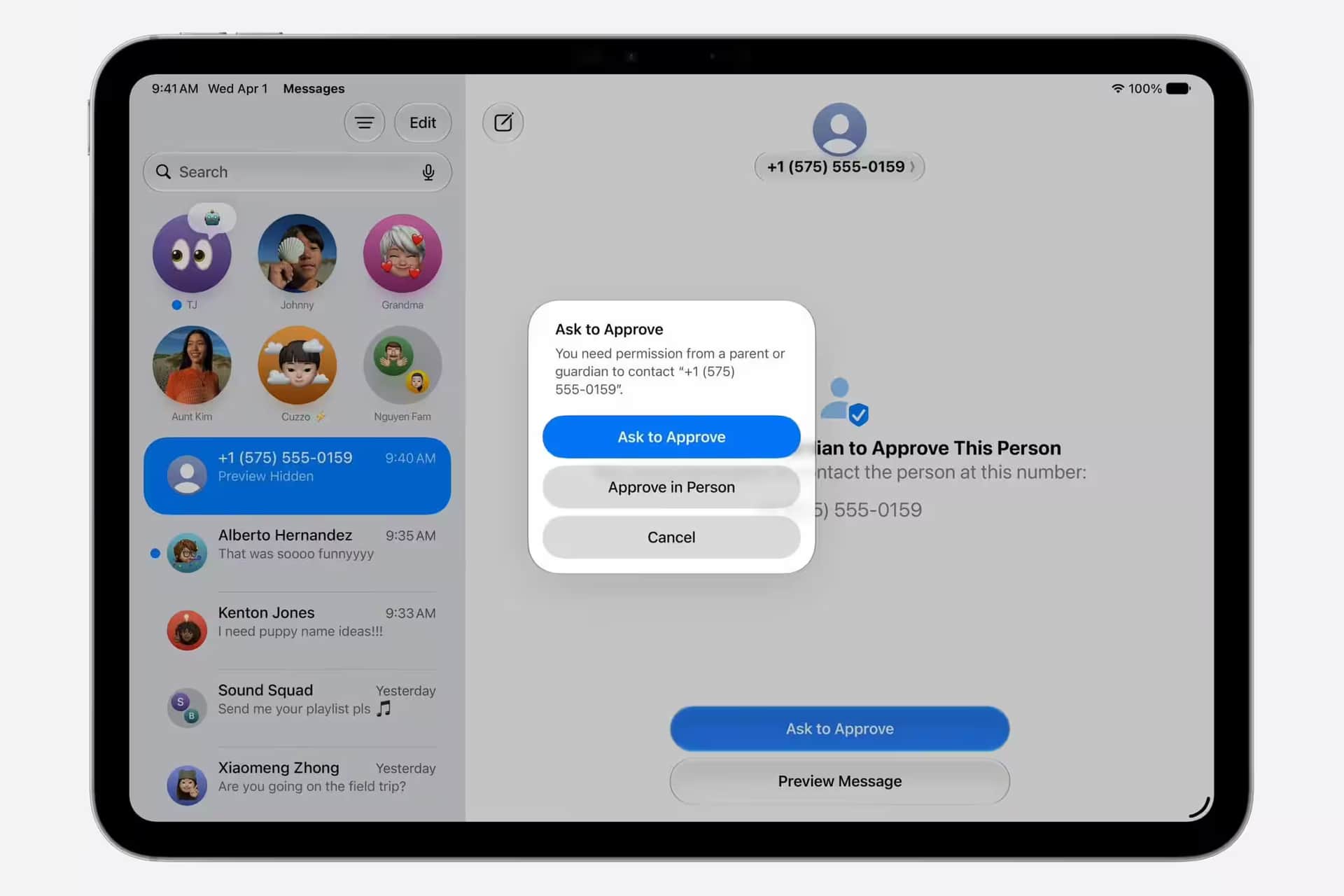
Image: The Verge
Apple used WWDC to preview iPadOS 27, and the headline is exactly what you’d expect from Cupertino right now: more AI, more automation, and a few polish fixes that make the iPad feel less like a giant phone. Apps are promised to launch up to 30 percent faster thanks to smarter preloading, while multitasking should feel snappier as you bounce between apps. Siri is also getting a much bigger role in iPadOS 27.
The bigger shift is Siri. Apple is folding the assistant deeper into Spotlight, which will try to tell whether you’re hunting for an app or trying to talk to Siri, and it is also adding a dedicated Siri app for conversations and chat history. That puts Apple closer to the chatbot-style assistants people already use on phones and laptops, while still trying to keep the iPad’s interface tidy. Not exactly subtle, but it is a clear sign Apple wants Siri to be useful rather than merely present.
Siri AI takes the main role in iPadOS 27
Apple has spent the last few years making the iPad more laptop-like, and iPadOS 27 continues that arc by making the software feel more willing to do the busywork for you. Siri AI will also power Shortcuts, so instead of manually stitching together automations, users will be able to describe what they want in natural language and let the app build it. That is a smart move for normal people; power users will still keep the old manual tools, which is the right call.
Recommended reading
560,000 AI apps hit Apple’s App Store in six months
There’s also some catch-up here. Apple announced a revamped AI Siri at WWDC 2024, but delays announced in March 2025 meant it still had not shown up in iPadOS 26. Shipping the assistant more visibly inside iPadOS 27 would finally give Apple a chance to stop talking about the future and start shipping it.
Parental controls get much more precise
Screen Time is getting a substantial overhaul, with parents and caregivers able to schedule when kids can use specific apps and services, not just broadly set limits. Apple is also introducing new APIs for parental controls and a Declared Age Range API, which should let app makers tailor what younger users see without turning every family device into a blunt instrument.
Child accounts are also getting tighter controls over app access and who kids can contact in iMessage. Kids can request approval before viewing websites, and that feature will be switched on automatically for users under 13. Competitors have been pushing similar family-safety tools for years, so Apple is not inventing the category here; it is finally giving iPad owners a more granular toolkit instead of the usual one-size-fits-all limits.
Safari tabs and multitasking get small but useful upgrades
Safari is picking up an Organize Tabs feature that automatically sorts open tabs into groups based on site content, which sounds like the kind of thing people will either love or disable immediately. It’s a sensible addition for anyone using the iPad as a work machine, because tab chaos is tab chaos whether you are on a tablet or a laptop.
iPadOS 27 lands after a busy run for the platform. iPadOS 26 brought Liquid Glass, a resizable windowing system, a menu bar, Preview for PDFs, and a more Mac-like Files app, all of which were clearly aimed at making the tablet behave less like a consumption device and more like a real productivity machine. The question now is whether Apple can make the AI layer feel just as practical as those interface changes, or whether Siri will stay trapped in demo territory for one more cycle.
Computing Editor
Tomas lives in the terminal. He covers chips, laptops, and operating systems with a focus on performance and efficiency. He reads kernel changelogs the way other people read fiction, and he's always on the hunt for the perfect mechanical keyboard switch. If it processes data, Tomas has an opinion on it.
via The Verge