

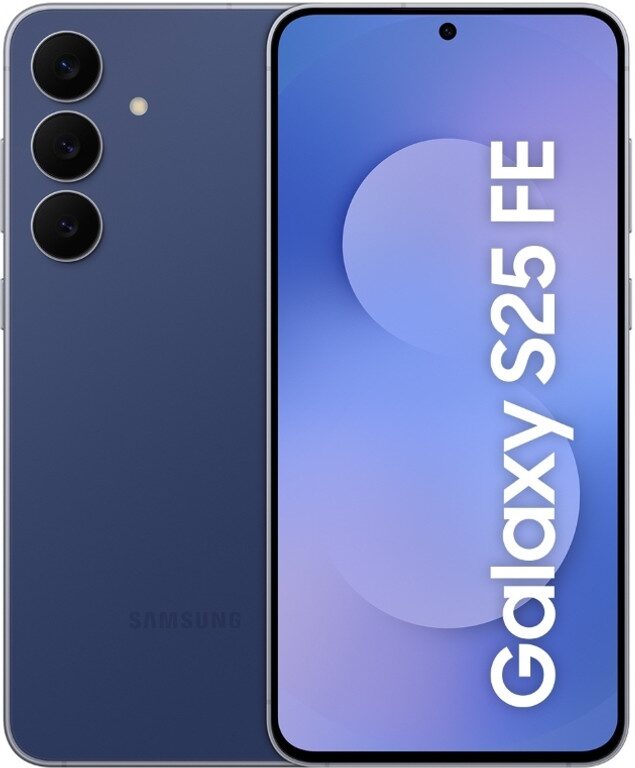
Samsung has started pushing One UI 8.5 to the Galaxy S25 FE, with the first rollout landing in South Korea and carrying the June 2026 security patch. The update is relatively small at about 324 MB, but it signals the usual Samsung pattern: flagship-adjacent phones get the new software first, then everyone else gets to refresh settings menus and wait their turn.
The build number is S731NKSS7BZF1, and the rollout began on June 10, 2026, according to Tarun Vats. For owners outside Korea, the practical advice is the same as ever: check ”Software update” in settings and expect a staggered release rather than a global switch-flip. That slower approach is boring, but it also helps Samsung avoid turning a patch into a support headache.
What One UI 8.5 brings to the Galaxy S25 FE
Samsung is pitching One UI 8.5 as a package of interface refinements, stability improvements, and updated security protection. The company hasn’t listed flashy new features here, which is pretty typical for a mid-cycle release: the real job is smoothing rough edges, tightening security, and making the phone feel less like a beta experiment after a few months of use.
- Device: Galaxy S25 FE
- Software: One UI 8.5 based on Android 16
- Build number: S731NKSS7BZF1
- File size: about 324 MB
- Security patch: June 2026
Samsung’s staggered rollout to the Galaxy S25 FE
This is also a reminder that Samsung’s update machine still moves in layers: Korea first, then other regions, then the inevitable forum posts from impatient owners elsewhere. The company often spreads patches by market and carrier, which is annoying if you are waiting today and perfectly sensible if you are the one trying to keep millions of handsets from tripping over the same bug at once.
Vats has a decent track record on Samsung software timing, and his latest report fits the broader pattern around One UI releases for the Galaxy line. If the rollout follows the usual script, more countries should see the update within days or within a week, although Samsung will decide that based on regional schedules rather than user moods.
How to check for the update
If you have a Galaxy S25 FE and don’t see the notification yet, the manual route is simple: open settings and look for ”Software update”. That is probably the least glamorous sentence in mobile tech, but it is still the one that gets people the latest patch first.