• 2 min read
Google Pics lands in Workspace on August 18
Google will roll out its AI image editor Pics to Workspace business and education users from August 18, with usage limits starting in 2027.
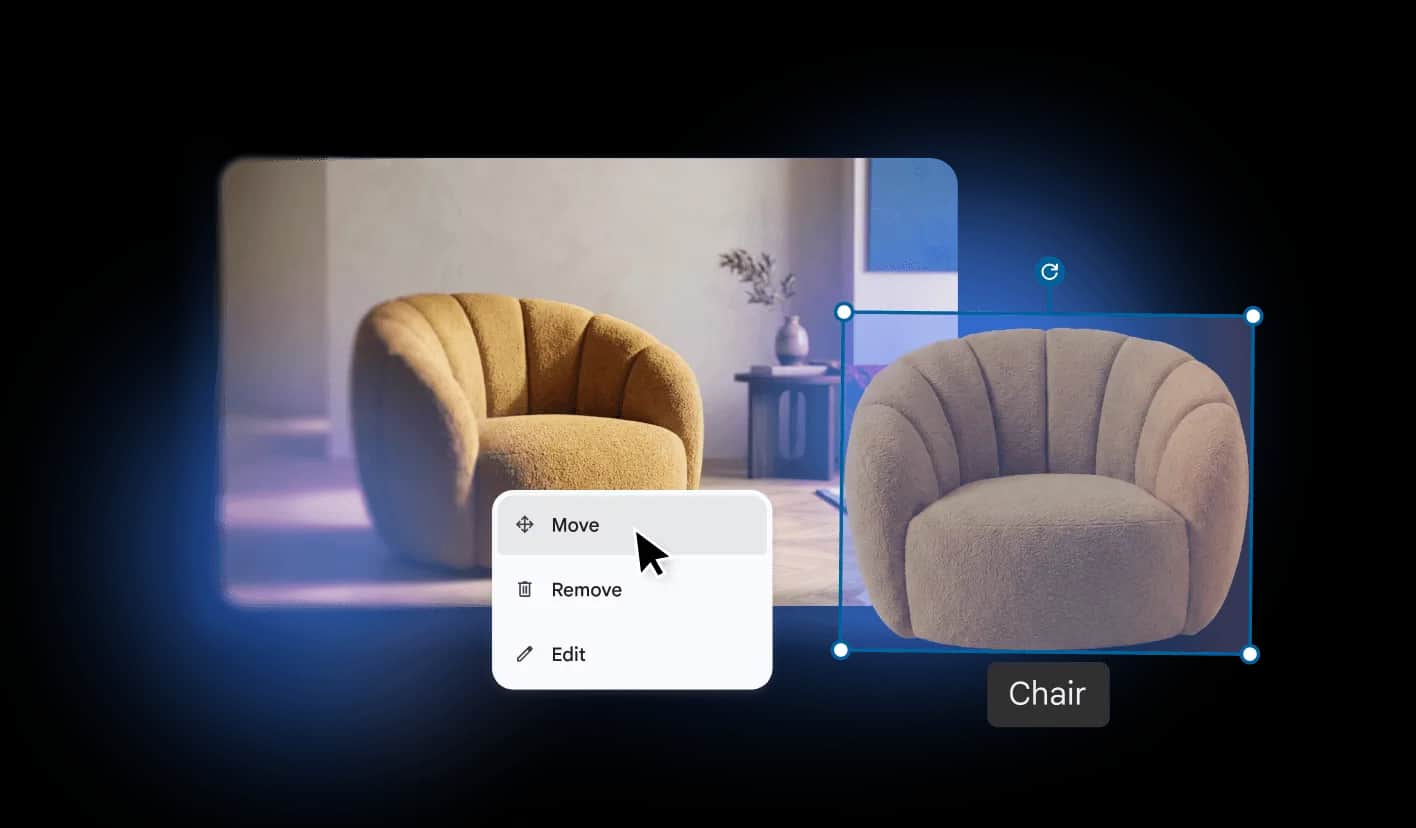
Image: TechRadar
Google Pics will begin rolling out to Google Workspace business and education users on August 18, giving customers a built-in way to generate and edit images inside apps like Slides, Docs, and Sheets.
Google first introduced Pics at Google I/O earlier this year, and the product has spent the past three months in testing as an experiment in Gemini Alpha. The company says the launch will cover organizations on these plans:
- Google Workspace Business Standard
- Google Workspace Business Plus
- Google Workspace Enterprise Standard
- Google Workspace Enterprise Plus
- Google Workspace AI Expanded Access
- Google AI Pro for Education
Built on Google’s Nano Banana imaging model, Pics will be available both as a standalone web app and as a native tool inside Workspace. Google says users will be able to create images from text prompts, edit individual parts of an image, translate or fix text inside images, replace elements, and make other adjustments without leaving the office suite.
Recommended reading
LLM coding feels faster — and more exhausting
That puts Pics in more direct competition with tools from Canva and Adobe, especially Canva Magic Grab and features in Adobe Express such as background removal. The pitch is straightforward: instead of exporting assets to another editor, Workspace users can handle image work where they already build documents and presentations.
What changes with the rollout
Google says Pics will be enabled by default for eligible Workspace customers as it rolls out, though admins will have the option to turn access off. The company also said generative AI usage limits will be introduced as Pics becomes more broadly available, with higher-priority access available until February 28, 2027.
Google has not shared any timeline for bringing Pics to consumer Google accounts.

Computing Editor
Tomas lives in the terminal. He covers chips, laptops, and operating systems with a focus on performance and efficiency. He reads kernel changelogs the way other people read fiction, and he's always on the hunt for the perfect mechanical keyboard switch. If it processes data, Tomas has an opinion on it.
via TechRadar