

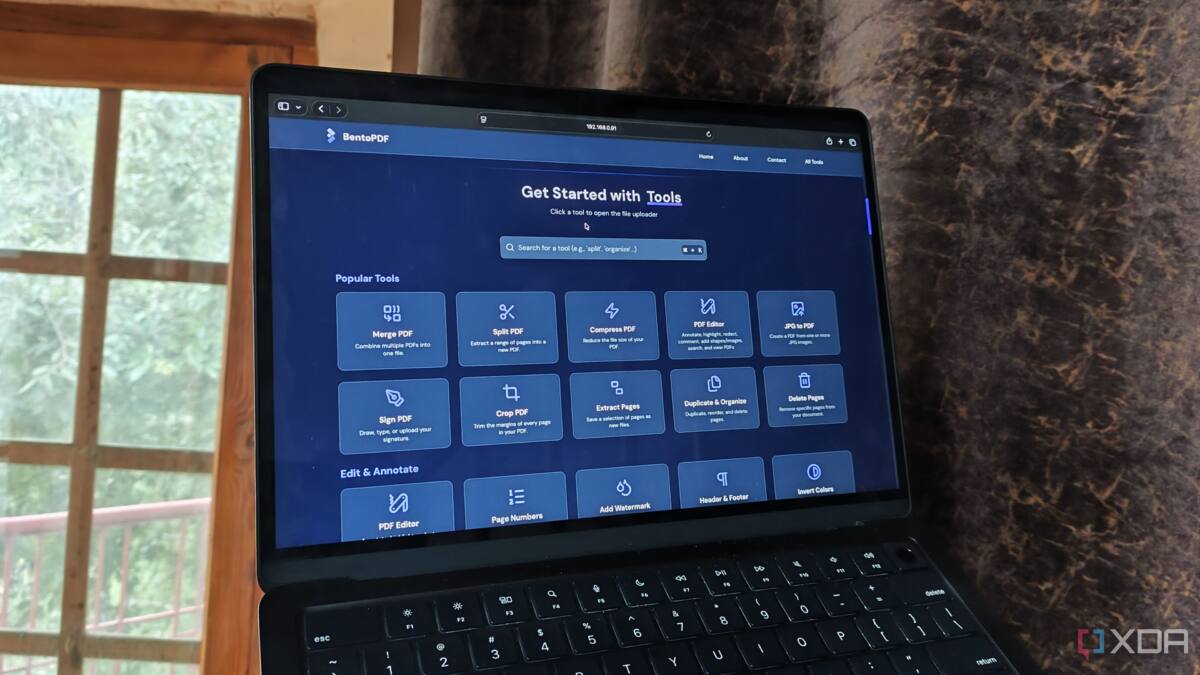
Adobe Acrobat can do almost anything with a PDF, but $15 a month is a hard sell if you only touch the format occasionally. BentoPDF is pushing the opposite pitch: a self-hosted, open-source PDF editor that runs locally, skips subscriptions, and still covers the kind of work many people usually associate with paid software.
That trade-off is bigger than it sounds. Browser PDF tools still lean heavily toward viewing, while serious editing, OCR, and conversion usually end up behind a paywall or inside a cloud account. For anyone handling personal paperwork, that combination can feel a little too eager to upload your life into someone else’s server farm.
What BentoPDF can do locally
BentoPDF is built for PDF work only, which is part of its appeal. It can split and merge files, run OCR to make scanned documents searchable and copyable, and convert PDFs into formats such as images, text, and documents. It also goes the other direction, turning text, docs, and images into PDF files.
- Split and merge PDFs
- OCR for searchable, copyable documents
- Convert PDFs to images, text, and documents
- Convert text, docs, and images into PDF
- Extract data from PDFs, including tables
That breadth matters because Adobe’s free tier is mostly stuck at viewing, sharing, and signing. The paid tiers unlock the real tools, but even the entry-level subscription keeps nudging users toward minor edits rather than full-on document surgery. BentoPDF undercuts that model by offering many of the same capabilities without asking for a payment plan.
Why self-hosted PDF software beats cloud-first tools
There’s also the privacy angle, which is not subtle. BentoPDF runs on the client side and can be hosted as a Docker container using barely 3 MB of memory when idle, so the heavy lifting stays close to home instead of being routed through a third-party account. That’s a far cleaner fit for land records, purchase receipts, and other files people do not want wandering around the internet.
Adobe’s software is still the heavyweight for enterprise teams that live in PDFs all day, and there is a reason it has become the default. But defaults age badly when the use case is irregular. If you only need a serious PDF editor once in a while, paying every month for that privilege starts to look less like convenience and more like a subscription tax.
Open source gives BentoPDF a trust edge
Open source is doing a lot of work here, and for once the buzzword earns its keep. BentoPDF’s code is open to inspection, and its recent updates have added Microsoft Office and OpenOffice-to-PDF conversion as well as PDF data extraction. That keeps it moving in a way many free tools do not, especially after community backlash pushed other self-hosted PDF projects to rethink their tracking habits.
The real question is how long Adobe can rely on habit alone. If BentoPDF keeps expanding while staying lightweight and local, the gap between ”good enough for home use” and ”pay monthly” gets harder to defend. The next fight in PDF software may not be about features at all, but about who gets to keep the file on your machine.