

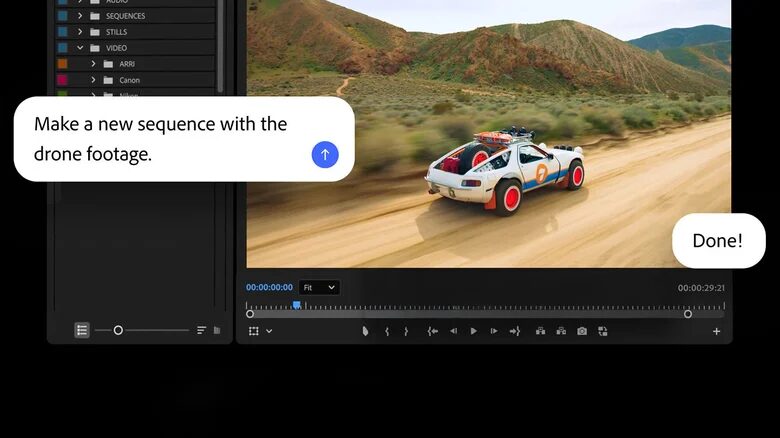
Adobe is moving Firefly from ”useful add-on” territory into the center of Creative Cloud, opening a public beta of an AI assistant inside Premiere Pro, Photoshop, Illustrator, InDesign, and Frame.io. The Firefly AI assistant is designed to keep creators inside the app, letting them type what they want in plain language while software handles repetitive tasks.
That sounds like a productivity play, and it is. It is also Adobe trying to make its apps stickier at a time when generative tools are spreading across rival products and standalone services. If the assistant actually saves time on asset prep, layout cleanup, and project wrangling, the company gains more than a shiny demo; it gets a reason for teams to keep paying for the suite.
What Firefly does inside each app
Adobe is not selling one generic chatbot bolted onto everything. The assistant is positioned as a specialized agent, with each app getting tasks tailored to its own workflow. That approach is smarter than a one-size-fits-all helper, because creative software is mostly a pile of annoying edge cases dressed up as a profession.
- Premiere Pro: sorts clips into folders, batch-renames files, analyzes audio, finds spoken keywords or questions, and adds markers.
- Photoshop: follows natural-language prompts such as ”make the background blurry” or ”resize the image for publication”, then helps organize layers and change backgrounds.
- Illustrator: flags problems like missing fonts or color-model mismatches, reorganizes layers, and can generate and place many objects on the canvas from one command.
Premiere Pro, Photoshop and Illustrator get the biggest automation boost
The most obvious win is in Premiere Pro, where logging footage and finding usable moments can be a slog. Adobe says the assistant can sort clips, rename them in bulk, and scan speech for important words, which could shave real time off rough cuts and string-outs. Editors will still do the editing, obviously, but fewer clicks between chaos and a timeline is still fewer clicks.
Photoshop is the friendliest place for this kind of assistant because it already lives on intent. Telling the app what you want instead of hunting through menus is a cleaner fit than some AI gimmick that pretends to understand art direction. Illustrator, meanwhile, is where the boring production chores live, and the ability to catch missing fonts or bad color settings before someone else does is the sort of feature users quietly love.
InDesign and Frame.io push Firefly beyond image editing
InDesign gets a more production-minded version of the assistant. Adobe says it can check layouts for print requirements, apply style updates, and push changes across pages when a new PDF is loaded or a template is opened. That makes the assistant feel less like a novelty and more like a prepress intern that never complains.
Frame.io extends the same idea into video collaboration. Adobe says Firefly can organize feedback, sort shooting material, and even generate additional B-roll for a project. The B-roll bit is the flashiest, but the workflow wins are probably the more practical ones: less digging through comments, less file hunting, less ”where did we put that?” energy.
The bigger story is that Adobe is treating AI less as a standalone feature and more as an operating layer across its creative tools. Competitors have been leaning the same way, because creators do not want another window full of prompts; they want the app they already use to do more of the grunt work. Public beta is the easy part. The real test is whether Firefly feels like a helper or another thing to babysit.