

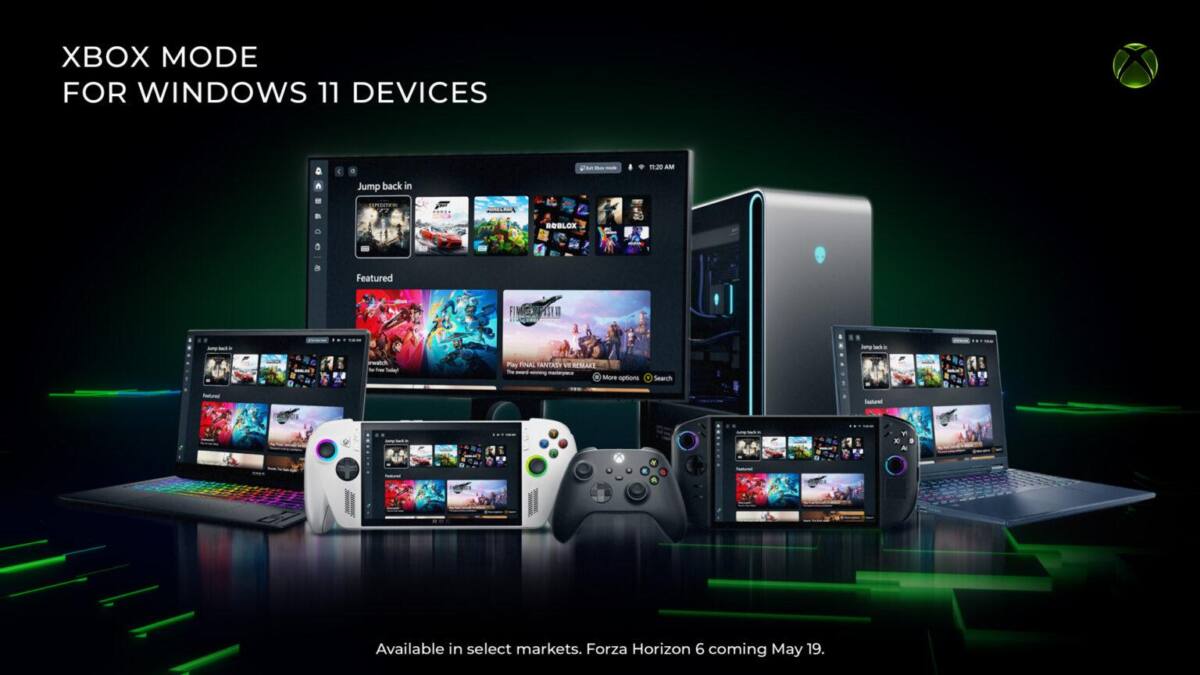
Microsoft is pushing its Xbox mode beyond handhelds and onto Windows 11 PCs, giving regular desktops and laptops a full-screen, controller-friendly launcher inside the Xbox app. The feature is meant to make gaming on Windows feel a little more like an Xbox console or Steam’s Big Picture Mode, although Microsoft is still framing it as a gradual rollout rather than a grand switch-flip moment.
The Windows 11 Xbox mode arrives through the latest Windows 11 update. Microsoft says some players in select markets can download it now, with availability expanding over the next several weeks. That staged release is classic Microsoft: cautious, controllable, and just vague enough to avoid promising a date it might regret later.
What Xbox mode changes on Windows 11
Xbox mode puts the Xbox PC app into a full-screen interface designed for gamepad navigation. The pitch is simple: fewer desktop distractions, faster access to your games, and a cleaner bridge between the PC and console worlds. For Microsoft, that bridge matters because Windows gaming still has a reputation for being powerful but fussy, while Valve has spent years polishing Steam’s living-room-friendly mode.
- Full-screen interface inside the Xbox PC app
- Designed for controller-first navigation
- Delivered through the latest Windows 11 update
From Xbox Ally devices to ordinary PCs
The mode first showed up as the Xbox Full Screen Experience on Asus’ Xbox Ally devices, where it had the slightly unfinished feel of something Microsoft wanted out in the wild before it was fully ready. Microsoft now says the feedback from handhelds shaped the Windows 11 PC version, which is the sort of lesson learned the hard way that usually produces a better product the second time around.
That broader release also fits a bigger trend: PC makers and platform owners are trying to turn Windows machines into more console-like gaming boxes without asking users to give up the open PC model. Valve’s SteamOS push and the popularity of handheld gaming PCs have already shown there is demand for a simpler front end. Microsoft’s answer is to keep Windows intact, then layer on an Xbox-style shell for people who want the easy path.
What else Microsoft is shipping today
Xbox mode is only part of the day’s update cycle. Microsoft is also rolling out improvements to the Xbox Ally X handheld, including a preview of Auto SR upscaling technology, while Xbox console owners get a dashboard update with per-game Quick Resume controls and the ability to add custom dashboard colors. That’s a tidy bundle of quality-of-life changes, though the more interesting one is still the Windows 11 rollout: if Microsoft can make Xbox mode feel native on ordinary PCs, it gets one step closer to making Windows the default gaming interface instead of just the default gaming operating system.
The real test for Xbox mode
The open question is whether players will actually use it outside handhelds. Desktop users already have habits, launchers, and shortcuts that are hard to unlearn, and Microsoft has a long history of shipping decent gaming ideas only to let them drift. If Xbox mode gets traction, expect it to show up everywhere Microsoft wants a couch-friendly Windows experience. If it doesn’t, it may end up as another smart feature buried one click too deep.