

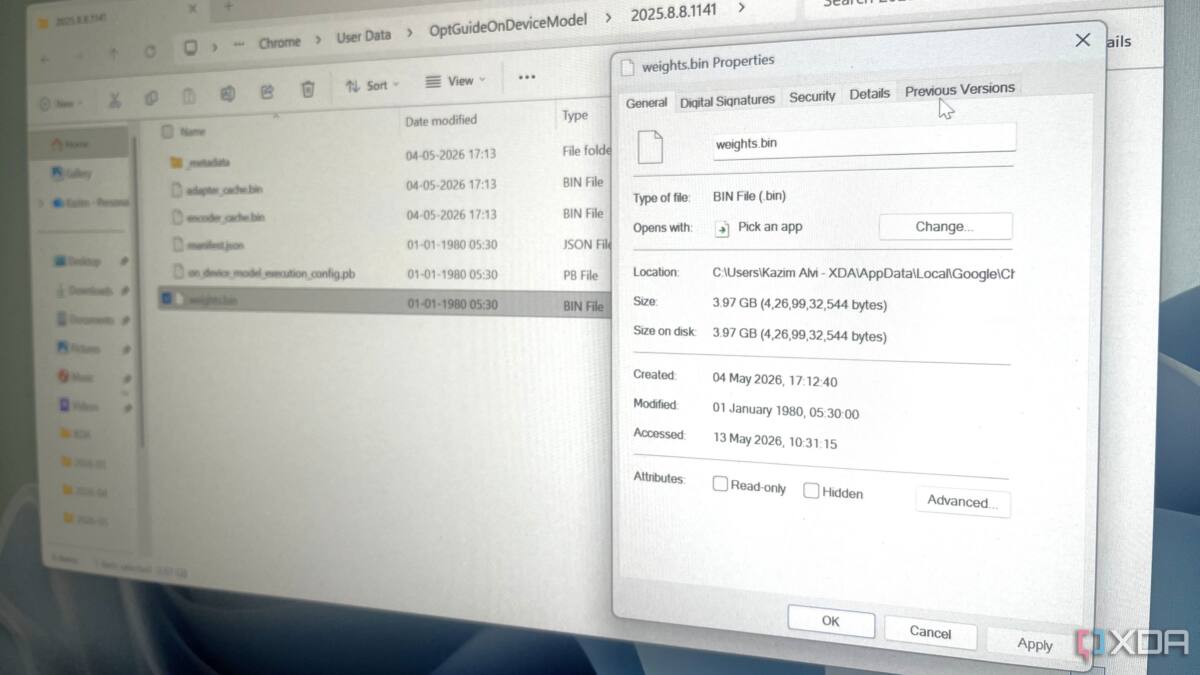
Google Chrome has been quietly pulling down a huge AI model file on some Windows and macOS machines, and the issue is less about the 4GB footprint than the fact that it arrives without a clear ask. The file, tied to Chrome’s on-device AI features, can sit hidden in a system folder until a user stumbles across it and wonders why a browser decided to help itself to that much disk space.
That is the kind of move that makes people side-eye every ”smart” feature with a checkbox attached. Local AI has real upsides – faster response times, less cloud dependence, and better privacy in some cases – but those benefits do not cancel out the need for consent, especially when the download is large enough to be impossible to miss once storage gets tight.
What Chrome is downloading
The file is called weights.bin, and it belongs to Chrome’s Gemini Nano-based on-device AI system. Google says the feature can help with scam-page warnings, writing and rephrasing text, page summaries, and tab organization.
- File name: weights.bin
- Windows size: 3.97GB
- macOS size: 4.27GB
- Folder location on Windows: %LOCALAPPDATA%\Google\Chrome\User Data\OptGuideOnDeviceModel
- Folder location on macOS: /Library/Application Support/Google/Chrome/OptGuideOnDevice Model/
That size gap is small, but the bigger point is that Chrome is shipping a feature set that feels more like an installed component than a browser setting. Competitors have been moving in the same direction with local AI helpers, but they usually face the same basic test: users should know before gigabytes start landing on their SSDs.
How to remove the file
Deleting weights.bin by hand is a losing battle because Chrome will just download it again. The fix is to disable the feature that triggers the file in the first place.
- Open Chrome settings
- Go to the System tab
- Turn off ”On-device AI”
- Chrome should then remove the file automatically
Switching it back on will bring the model down again, which makes sense technically and still feels a bit rude socially. If your internet connection is metered or your laptop is running low on free space, that kind of silent re-download is exactly the sort of behavior that turns a convenience feature into a nuisance.
Why Chrome’s AI download sparks backlash
Google says Chrome only downloads the file when there is enough storage and removes it when space gets low. That sounds neat until you ask the obvious question: what does ”low” actually mean? If a browser can take 4GB today without asking, users are right to worry about what else it might decide is acceptable tomorrow.
The broader trend is clear: browser makers want AI features local, fast, and mostly invisible. Fine. But invisible software behaviors are exactly what make people switch to Firefox, Brave, or anything else that looks less overeager. Chrome may keep the model, but unless Google makes the download prompt explicit, the next complaint will not be about storage – it will be about trust.