

For most users, including photographers and video editors who operate mainly in standard dynamic range, the base Studio Display offers an attractive balance of premium Apple design, vivid color, and sharp resolution at less than half the XDR’s cost. Its strengths are sufficient for daily creative and professional workflows on Macs such as the Mac mini, MacBook Air, and MacBook Pro without stretching the budget.
Deciding between the Studio Display and Studio Display XDR hinges on your workflow needs: average users and creatives won’t miss much opting for the more affordable Studio Display, while HDR specialists and print professionals will find the XDR’s color fidelity and brightness levels indispensable-if the price tag fits.
The XDR model doubles the standard refresh rate to 120Hz with Adaptive Sync and supports broader color spaces including Adobe RGB. It comes with the more powerful A19 Pro chip and an option for a tilt- and height-adjustable stand, justifying its premium status for specialists.
While both displays share many core features, the Studio Display XDR’s advanced panel technology offers an experience closer to what professionals demand in high-end content creation. These qualities also align it more closely with the Liquid Retina XDR displays found on MacBook Pros. Enthusiasts and prosumers willing to invest in a premium desktop setup might find its smoother motion and extreme contrast appealing, even outside strictly professional environments.
For most users, including photographers and video editors who operate mainly in standard dynamic range, the base Studio Display offers an attractive balance of premium Apple design, vivid color, and sharp resolution at less than half the XDR’s cost. Its strengths are sufficient for daily creative and professional workflows on Macs such as the Mac mini, MacBook Air, and MacBook Pro without stretching the budget.
Deciding between the Studio Display and Studio Display XDR hinges on your workflow needs: average users and creatives won’t miss much opting for the more affordable Studio Display, while HDR specialists and print professionals will find the XDR’s color fidelity and brightness levels indispensable-if the price tag fits.
The XDR model doubles the standard refresh rate to 120Hz with Adaptive Sync and supports broader color spaces including Adobe RGB. It comes with the more powerful A19 Pro chip and an option for a tilt- and height-adjustable stand, justifying its premium status for specialists.
While both displays share many core features, the Studio Display XDR’s advanced panel technology offers an experience closer to what professionals demand in high-end content creation. These qualities also align it more closely with the Liquid Retina XDR displays found on MacBook Pros. Enthusiasts and prosumers willing to invest in a premium desktop setup might find its smoother motion and extreme contrast appealing, even outside strictly professional environments.
For most users, including photographers and video editors who operate mainly in standard dynamic range, the base Studio Display offers an attractive balance of premium Apple design, vivid color, and sharp resolution at less than half the XDR’s cost. Its strengths are sufficient for daily creative and professional workflows on Macs such as the Mac mini, MacBook Air, and MacBook Pro without stretching the budget.
Deciding between the Studio Display and Studio Display XDR hinges on your workflow needs: average users and creatives won’t miss much opting for the more affordable Studio Display, while HDR specialists and print professionals will find the XDR’s color fidelity and brightness levels indispensable-if the price tag fits.
The $1,599 Studio Display includes a standard LCD panel with 600 nits of brightness and a 60Hz refresh rate, supplemented by the Apple A19 chip. This makes it a robust choice for general productivity, software development, and SDR-focused creative work where ultra-high brightness and color fidelity are not critical. Its tilt-adjustable stand accommodates most desk setups comfortably.
In comparison, the $3,299 Studio Display XDR targets professionals with exacting standards in HDR video editing, color grading, and 3D rendering. It is equipped with a mini-LED panel featuring 2,304 local dimming zones, achieving up to 1,000 nits brightness in SDR and peaking at 2,000 nits for HDR.
- Mini-LED panel with 2,304 dimming zones
- Up to 2,000 nits HDR peak brightness
- 1,000 nits SDR brightness
- 120Hz refresh rate with Adaptive Sync
- Apple A19 Pro chip
- Adobe RGB wide color gamut support
- Tilt- and height-adjustable stand included (optional on Studio Display)
The XDR model doubles the standard refresh rate to 120Hz with Adaptive Sync and supports broader color spaces including Adobe RGB. It comes with the more powerful A19 Pro chip and an option for a tilt- and height-adjustable stand, justifying its premium status for specialists.
While both displays share many core features, the Studio Display XDR’s advanced panel technology offers an experience closer to what professionals demand in high-end content creation. These qualities also align it more closely with the Liquid Retina XDR displays found on MacBook Pros. Enthusiasts and prosumers willing to invest in a premium desktop setup might find its smoother motion and extreme contrast appealing, even outside strictly professional environments.
For most users, including photographers and video editors who operate mainly in standard dynamic range, the base Studio Display offers an attractive balance of premium Apple design, vivid color, and sharp resolution at less than half the XDR’s cost. Its strengths are sufficient for daily creative and professional workflows on Macs such as the Mac mini, MacBook Air, and MacBook Pro without stretching the budget.
Deciding between the Studio Display and Studio Display XDR hinges on your workflow needs: average users and creatives won’t miss much opting for the more affordable Studio Display, while HDR specialists and print professionals will find the XDR’s color fidelity and brightness levels indispensable-if the price tag fits.
The $1,599 Studio Display includes a standard LCD panel with 600 nits of brightness and a 60Hz refresh rate, supplemented by the Apple A19 chip. This makes it a robust choice for general productivity, software development, and SDR-focused creative work where ultra-high brightness and color fidelity are not critical. Its tilt-adjustable stand accommodates most desk setups comfortably.
In comparison, the $3,299 Studio Display XDR targets professionals with exacting standards in HDR video editing, color grading, and 3D rendering. It is equipped with a mini-LED panel featuring 2,304 local dimming zones, achieving up to 1,000 nits brightness in SDR and peaking at 2,000 nits for HDR.
- Mini-LED panel with 2,304 dimming zones
- Up to 2,000 nits HDR peak brightness
- 1,000 nits SDR brightness
- 120Hz refresh rate with Adaptive Sync
- Apple A19 Pro chip
- Adobe RGB wide color gamut support
- Tilt- and height-adjustable stand included (optional on Studio Display)
The XDR model doubles the standard refresh rate to 120Hz with Adaptive Sync and supports broader color spaces including Adobe RGB. It comes with the more powerful A19 Pro chip and an option for a tilt- and height-adjustable stand, justifying its premium status for specialists.
While both displays share many core features, the Studio Display XDR’s advanced panel technology offers an experience closer to what professionals demand in high-end content creation. These qualities also align it more closely with the Liquid Retina XDR displays found on MacBook Pros. Enthusiasts and prosumers willing to invest in a premium desktop setup might find its smoother motion and extreme contrast appealing, even outside strictly professional environments.
For most users, including photographers and video editors who operate mainly in standard dynamic range, the base Studio Display offers an attractive balance of premium Apple design, vivid color, and sharp resolution at less than half the XDR’s cost. Its strengths are sufficient for daily creative and professional workflows on Macs such as the Mac mini, MacBook Air, and MacBook Pro without stretching the budget.
Deciding between the Studio Display and Studio Display XDR hinges on your workflow needs: average users and creatives won’t miss much opting for the more affordable Studio Display, while HDR specialists and print professionals will find the XDR’s color fidelity and brightness levels indispensable-if the price tag fits.
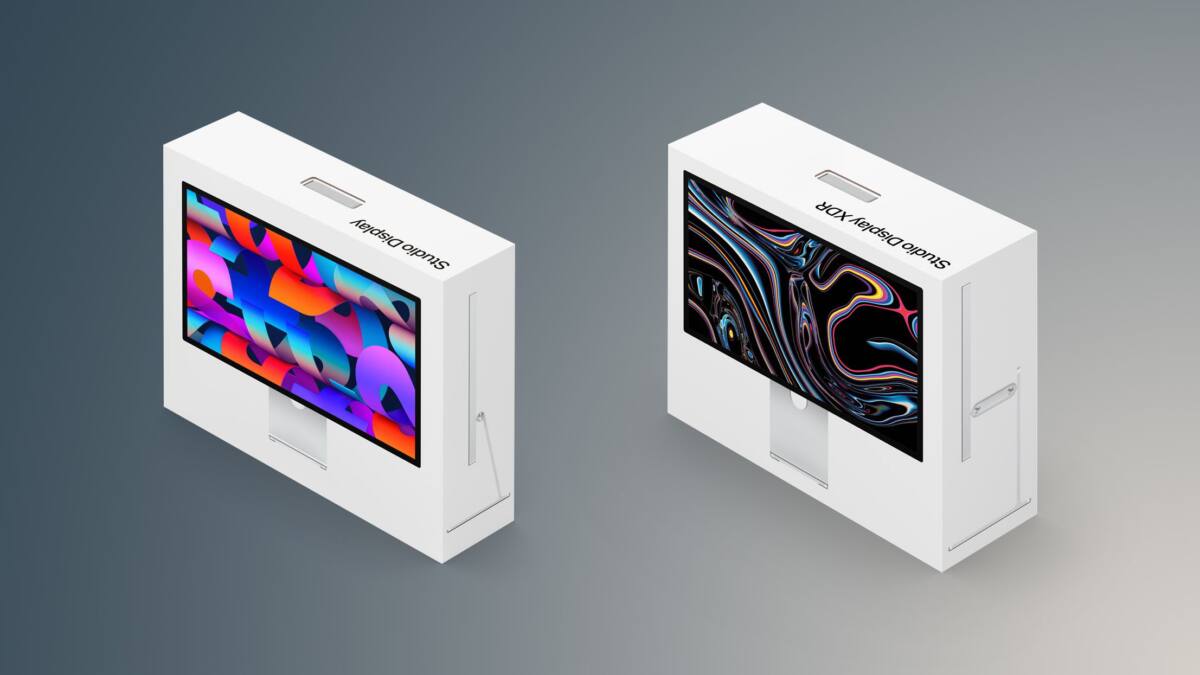
Apple’s latest monitor lineup features the refreshed Studio Display and the new Studio Display XDR, the latter replacing the Pro Display XDR and costing more than twice as much as its sibling. Both screens deliver nearly identical everyday user experiences but diverge sharply on professional-grade specs and price, forcing buyers to weigh advanced capabilities against budget constraints.
Both the Studio Display and Studio Display XDR retain hallmark Apple design elements: a 27-inch 5K Retina screen with a sharp 5120×2880 resolution and 218 pixels per inch, aluminum casing, and a rich P3 wide color gamut enhanced by True Tone technology. They share built-in extras including a 12MP Center Stage webcam, a trio of studio-grade mics, a spatially immersive six-speaker system, and versatile Thunderbolt 5 connectivity.
- 27-inch 5K 5120×2880 resolution
- 218 ppi pixel density
- P3 wide color gamut with True Tone
- Optional nano-texture glass
- 12MP Center Stage camera
- Studio-quality three-mic array
- Six-speaker Spatial Audio system
- Thunderbolt 5 ports (upstream and downstream)
- Two USB-C ports for accessories
- VESA mount adapter available
The $1,599 Studio Display includes a standard LCD panel with 600 nits of brightness and a 60Hz refresh rate, supplemented by the Apple A19 chip. This makes it a robust choice for general productivity, software development, and SDR-focused creative work where ultra-high brightness and color fidelity are not critical. Its tilt-adjustable stand accommodates most desk setups comfortably.
In comparison, the $3,299 Studio Display XDR targets professionals with exacting standards in HDR video editing, color grading, and 3D rendering. It is equipped with a mini-LED panel featuring 2,304 local dimming zones, achieving up to 1,000 nits brightness in SDR and peaking at 2,000 nits for HDR.
- Mini-LED panel with 2,304 dimming zones
- Up to 2,000 nits HDR peak brightness
- 1,000 nits SDR brightness
- 120Hz refresh rate with Adaptive Sync
- Apple A19 Pro chip
- Adobe RGB wide color gamut support
- Tilt- and height-adjustable stand included (optional on Studio Display)
The XDR model doubles the standard refresh rate to 120Hz with Adaptive Sync and supports broader color spaces including Adobe RGB. It comes with the more powerful A19 Pro chip and an option for a tilt- and height-adjustable stand, justifying its premium status for specialists.
While both displays share many core features, the Studio Display XDR’s advanced panel technology offers an experience closer to what professionals demand in high-end content creation. These qualities also align it more closely with the Liquid Retina XDR displays found on MacBook Pros. Enthusiasts and prosumers willing to invest in a premium desktop setup might find its smoother motion and extreme contrast appealing, even outside strictly professional environments.
For most users, including photographers and video editors who operate mainly in standard dynamic range, the base Studio Display offers an attractive balance of premium Apple design, vivid color, and sharp resolution at less than half the XDR’s cost. Its strengths are sufficient for daily creative and professional workflows on Macs such as the Mac mini, MacBook Air, and MacBook Pro without stretching the budget.
Deciding between the Studio Display and Studio Display XDR hinges on your workflow needs: average users and creatives won’t miss much opting for the more affordable Studio Display, while HDR specialists and print professionals will find the XDR’s color fidelity and brightness levels indispensable-if the price tag fits.
Apple’s latest monitor lineup features the refreshed Studio Display and the new Studio Display XDR, the latter replacing the Pro Display XDR and costing more than twice as much as its sibling. Both screens deliver nearly identical everyday user experiences but diverge sharply on professional-grade specs and price, forcing buyers to weigh advanced capabilities against budget constraints.
Both the Studio Display and Studio Display XDR retain hallmark Apple design elements: a 27-inch 5K Retina screen with a sharp 5120×2880 resolution and 218 pixels per inch, aluminum casing, and a rich P3 wide color gamut enhanced by True Tone technology. They share built-in extras including a 12MP Center Stage webcam, a trio of studio-grade mics, a spatially immersive six-speaker system, and versatile Thunderbolt 5 connectivity.
- 27-inch 5K 5120×2880 resolution
- 218 ppi pixel density
- P3 wide color gamut with True Tone
- Optional nano-texture glass
- 12MP Center Stage camera
- Studio-quality three-mic array
- Six-speaker Spatial Audio system
- Thunderbolt 5 ports (upstream and downstream)
- Two USB-C ports for accessories
- VESA mount adapter available
The $1,599 Studio Display includes a standard LCD panel with 600 nits of brightness and a 60Hz refresh rate, supplemented by the Apple A19 chip. This makes it a robust choice for general productivity, software development, and SDR-focused creative work where ultra-high brightness and color fidelity are not critical. Its tilt-adjustable stand accommodates most desk setups comfortably.
In comparison, the $3,299 Studio Display XDR targets professionals with exacting standards in HDR video editing, color grading, and 3D rendering. It is equipped with a mini-LED panel featuring 2,304 local dimming zones, achieving up to 1,000 nits brightness in SDR and peaking at 2,000 nits for HDR.
- Mini-LED panel with 2,304 dimming zones
- Up to 2,000 nits HDR peak brightness
- 1,000 nits SDR brightness
- 120Hz refresh rate with Adaptive Sync
- Apple A19 Pro chip
- Adobe RGB wide color gamut support
- Tilt- and height-adjustable stand included (optional on Studio Display)
The XDR model doubles the standard refresh rate to 120Hz with Adaptive Sync and supports broader color spaces including Adobe RGB. It comes with the more powerful A19 Pro chip and an option for a tilt- and height-adjustable stand, justifying its premium status for specialists.
While both displays share many core features, the Studio Display XDR’s advanced panel technology offers an experience closer to what professionals demand in high-end content creation. These qualities also align it more closely with the Liquid Retina XDR displays found on MacBook Pros. Enthusiasts and prosumers willing to invest in a premium desktop setup might find its smoother motion and extreme contrast appealing, even outside strictly professional environments.
For most users, including photographers and video editors who operate mainly in standard dynamic range, the base Studio Display offers an attractive balance of premium Apple design, vivid color, and sharp resolution at less than half the XDR’s cost. Its strengths are sufficient for daily creative and professional workflows on Macs such as the Mac mini, MacBook Air, and MacBook Pro without stretching the budget.
Deciding between the Studio Display and Studio Display XDR hinges on your workflow needs: average users and creatives won’t miss much opting for the more affordable Studio Display, while HDR specialists and print professionals will find the XDR’s color fidelity and brightness levels indispensable-if the price tag fits.
Apple’s latest monitor lineup features the refreshed Studio Display and the new Studio Display XDR, the latter replacing the Pro Display XDR and costing more than twice as much as its sibling. Both screens deliver nearly identical everyday user experiences but diverge sharply on professional-grade specs and price, forcing buyers to weigh advanced capabilities against budget constraints.
Both the Studio Display and Studio Display XDR retain hallmark Apple design elements: a 27-inch 5K Retina screen with a sharp 5120×2880 resolution and 218 pixels per inch, aluminum casing, and a rich P3 wide color gamut enhanced by True Tone technology. They share built-in extras including a 12MP Center Stage webcam, a trio of studio-grade mics, a spatially immersive six-speaker system, and versatile Thunderbolt 5 connectivity.
- 27-inch 5K 5120×2880 resolution
- 218 ppi pixel density
- P3 wide color gamut with True Tone
- Optional nano-texture glass
- 12MP Center Stage camera
- Studio-quality three-mic array
- Six-speaker Spatial Audio system
- Thunderbolt 5 ports (upstream and downstream)
- Two USB-C ports for accessories
- VESA mount adapter available
The $1,599 Studio Display includes a standard LCD panel with 600 nits of brightness and a 60Hz refresh rate, supplemented by the Apple A19 chip. This makes it a robust choice for general productivity, software development, and SDR-focused creative work where ultra-high brightness and color fidelity are not critical. Its tilt-adjustable stand accommodates most desk setups comfortably.
In comparison, the $3,299 Studio Display XDR targets professionals with exacting standards in HDR video editing, color grading, and 3D rendering. It is equipped with a mini-LED panel featuring 2,304 local dimming zones, achieving up to 1,000 nits brightness in SDR and peaking at 2,000 nits for HDR.
- Mini-LED panel with 2,304 dimming zones
- Up to 2,000 nits HDR peak brightness
- 1,000 nits SDR brightness
- 120Hz refresh rate with Adaptive Sync
- Apple A19 Pro chip
- Adobe RGB wide color gamut support
- Tilt- and height-adjustable stand included (optional on Studio Display)
The XDR model doubles the standard refresh rate to 120Hz with Adaptive Sync and supports broader color spaces including Adobe RGB. It comes with the more powerful A19 Pro chip and an option for a tilt- and height-adjustable stand, justifying its premium status for specialists.
While both displays share many core features, the Studio Display XDR’s advanced panel technology offers an experience closer to what professionals demand in high-end content creation. These qualities also align it more closely with the Liquid Retina XDR displays found on MacBook Pros. Enthusiasts and prosumers willing to invest in a premium desktop setup might find its smoother motion and extreme contrast appealing, even outside strictly professional environments.
For most users, including photographers and video editors who operate mainly in standard dynamic range, the base Studio Display offers an attractive balance of premium Apple design, vivid color, and sharp resolution at less than half the XDR’s cost. Its strengths are sufficient for daily creative and professional workflows on Macs such as the Mac mini, MacBook Air, and MacBook Pro without stretching the budget.
Deciding between the Studio Display and Studio Display XDR hinges on your workflow needs: average users and creatives won’t miss much opting for the more affordable Studio Display, while HDR specialists and print professionals will find the XDR’s color fidelity and brightness levels indispensable-if the price tag fits.