

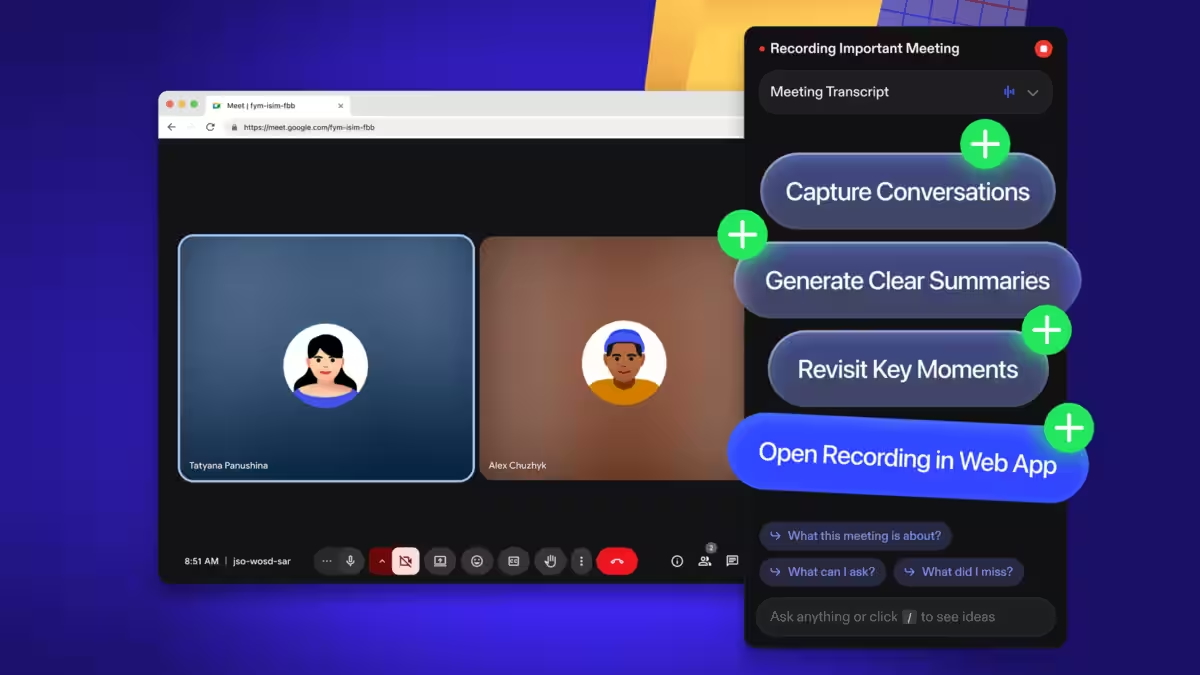
There are already a dozen ways to get meeting transcripts. Most teams still use none of them. Speechify’s new AI Note Taker is a straightforward bet: make transcription and summarization boringly reliable, then fold it into a wider ”voice-first” suite so people stop juggling separate tools.
What just launched
Speechify has introduced AI Note Taker, a web-based tool that transcribes and summarizes Zoom calls, lectures, and in-person conversations. The system produces a full transcript separated by participant and generates condensed summaries so users can skip rewatching meetings. Speechify says the feature is available on the web first, and will soon arrive on desktop and iOS/Android; once a meeting is processed, summaries and transcripts can be accessed on mobile and read aloud.
”We don’t think you should need five accounts for five different services powered by Voice AI. Speechify is a single platform that understands who you are, gives you every Voice AI tool you need with a single account, and only gets better with time.”
Speechify
Why this matters (and why it may not)
On paper, the pitch is familiar: solve friction. Speechify has spent the last year stacking voice features – it shipped a Mac app and a Voice Typing Dictation feature last December and followed with a Voice Assistant for iOS – and it frames AI Note Taker as the next logical piece of a single subscription that works across mobile, desktop, the web, ChatGPT, and even Meta’s AI Glasses.
That integration focus is smart because the market is already saturated with meeting assistants. Otter.ai and Fireflies have been doing real-time transcription and speaker separation for years, and the big platform players – Microsoft Teams, Google Meet, and Zoom – now offer native transcription, captions, and AI-generated recaps. For most organizations, the decision isn’t about raw accuracy; it’s about where the transcript lives, who can access it, and whether the tool plugs into calendars, storage, and security policies.
What’s missing from the announcement
Two practical questions the company didn’t answer publicly: pricing and integrations. Will AI Note Taker require a separate tier, or simply be another feature inside Speechify’s subscription? And can it join meetings directly via Zoom, Teams, or Google Meet tokens, or will users have to upload recordings manually? Those details determine whether Speechify is an accessibility-focused niche player or a practical replacement for tools already embedded in corporate workflows.
There are also privacy and compliance trade-offs. Any meeting assistant that uploads audio for cloud processing has to navigate consent, storage duration, and rules like GDPR or corporate data residency. Customers who care about compliance will want clear documentation about where audio and transcripts are stored, which models handle the data, and whether company admins can audit or delete records.
Where Speechify could win
Speechify’s clearest advantage is its accessibility DNA. The app won a 2025 Apple Design Award in the Inclusivity category, and the product’s ability to read summaries aloud is a natural fit for visually impaired users, commuters, and anyone who prefers audio over text. If Speechify keeps prioritizing voice-first UX across platforms – and ties that experience to reliable cross-device sync – it can carve out a loyal user base outside large enterprise contracts.
Another route to scale is partnerships: integrate directly with meeting platforms, calendar providers, and enterprise storage, or offer on-prem or private-cloud options for customers worried about data residency. That would counter the incumbent advantage of Microsoft and Google while keeping Speechify’s accessibility features front and center.
Verdict and what to watch next
AI Note Taker is a sensible product extension rather than a dramatic disruption. It fills a genuine need – people hate note-taking – but it enters a crowded field where distribution and trust matter more than feature checklists. Watch for three things in the coming months: how Speechify prices the feature, which meeting platforms it integrates with, and whether it publishes clear privacy and compliance controls. Those answers will decide whether this is a helpful accessibility tool or yet another transcription app fighting for scraps.
If you care about hearing your summaries instead of reading them, Speechify’s approach is worth trying. If your organization lives inside Microsoft 365 or Google Workspace, expect the decision to be driven by admin controls and compliance, not by which app reads aloud best.