

Google is integrating its new Gemini AI capabilities into Docs, Sheets, Slides, and Drive, letting users generate drafts and organize content automatically using data from Gmail, Chat, and Drive. These features aim to speed up workflows by reducing the need to jump between apps or use separate chatbots.
Unlike standalone AI tools, Gemini directly enhances Google’s core productivity apps with personalized assistance, helping users create documents, spreadsheets, and presentations faster by pulling in relevant data from their Google ecosystem.
AI drafting and editing in Google Docs
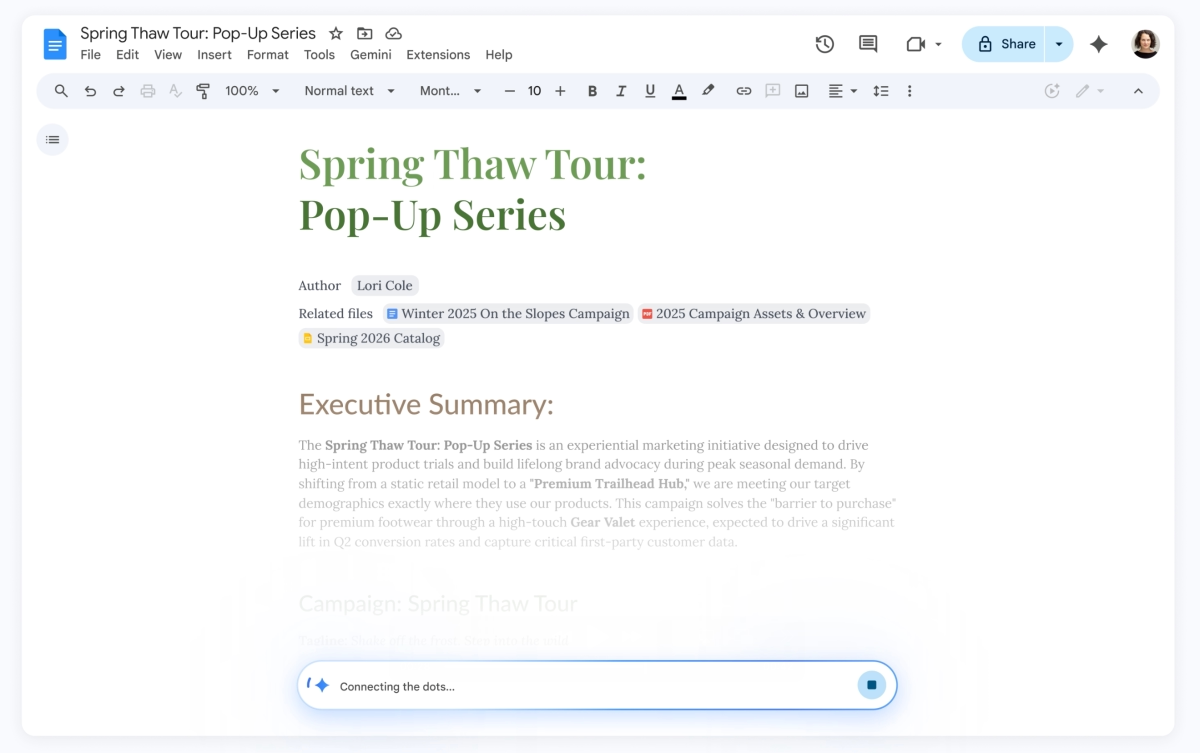
Google Docs introduces the ”Help me create” tool, which lets you describe what kind of document you need. Gemini then combs through your Drive files, Gmail messages, and Chat conversations to generate a tailored draft. For example, you could say: ”Create a newsletter for our neighborhood group based on the January meeting notes and upcoming events.”
Once the initial draft is ready, Gemini can edit specific sections without rewriting the entire document. There’s also a ”Help me write” feature to clarify your text or fill in missing details.
Collaboration is simplified with ”Match writing style,” which aligns different contributors’ tones and styles to make the document sound cohesive. Plus, ”Match the format” lets you copy the structure and formatting of an existing doc-for instance, transforming a travel itinerary template by automatically filling in flight confirmations, hotel bookings, and car rentals from your emails.
Advanced data handling in Google Sheets with Gemini AI
Gemini acts as a collaborative assistant in Google Sheets, able to pull data from Gmail, Chat, and Drive with a simple prompt and generate fully formatted spreadsheets. For example, you might ask it to ”organize my upcoming move to Chicago: create packing lists by room, a utility contacts list, and a tracking table for moving company quotes from my emails.”
For more complex tasks, the ”Fill with Gemini” feature can automatically populate tables with generated text, classify and summarize data, and fetch real-time information from Google Search. Say you’re applying to colleges: Gemini can fill in deadlines, tuition costs, and other details across your spreadsheet by pulling info from the web.
Gemini AI streamlines Google Slides creation
In Google Slides, Gemini helps create fully editable presentations by analyzing files, emails, and internet context to tailor slide content and design. You can request color adjustments (”match the rest of the presentation”) or a design overhaul (”make it more minimalist”). Google plans to soon enable building entire slide decks from a single prompt, such as ”create a five-slide presentation about my upcoming trip to Tokyo.”
Smarter AI search assistant in Google Drive powered by Gemini
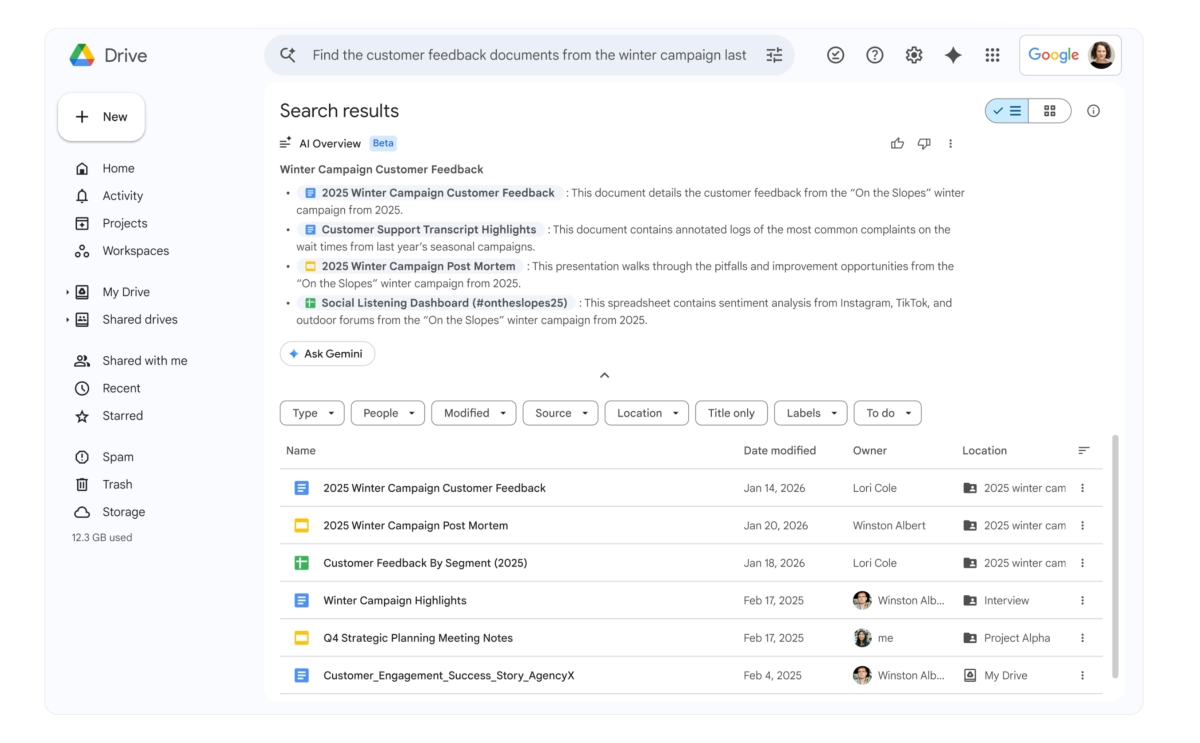
Google Drive is evolving from a passive file storage into an interactive AI assistant. Gemini enhances natural language search by providing an ”AI Overview,” a summary of relevant document content with source citations, so you don’t have to open every file to find important info.
The ”Ask Gemini in Drive” feature lets you query multiple data sources simultaneously-including documents, emails, calendar events, and web data. For instance, selecting all tax-related files and asking, ”What questions should I ask my tax advisor before filing this year?” will prompt Gemini to generate a context-specific answer based on your data.
All these AI-powered features are launching in beta today, initially available to Google AI Ultra and Pro subscribers. Docs, Sheets, and Slides AI tools will be accessible globally in English, while Drive’s AI assistant rolls out first in the US.
Google’s push to deeply embed Gemini into its productivity suite puts it in direct competition with Microsoft’s integration of AI in Office apps and the slew of standalone AI writing tools emerging everywhere. By building AI directly into familiar apps, Google aims to keep users working inside one ecosystem rather than switching to third-party solutions.
Looking ahead, the key to Gemini’s success will be how well it balances automation with user control and privacy, especially when mining personal emails and files for context. The pace of feature rollout and user adoption could redefine expectations for AI-powered productivity tools over the next few years.