

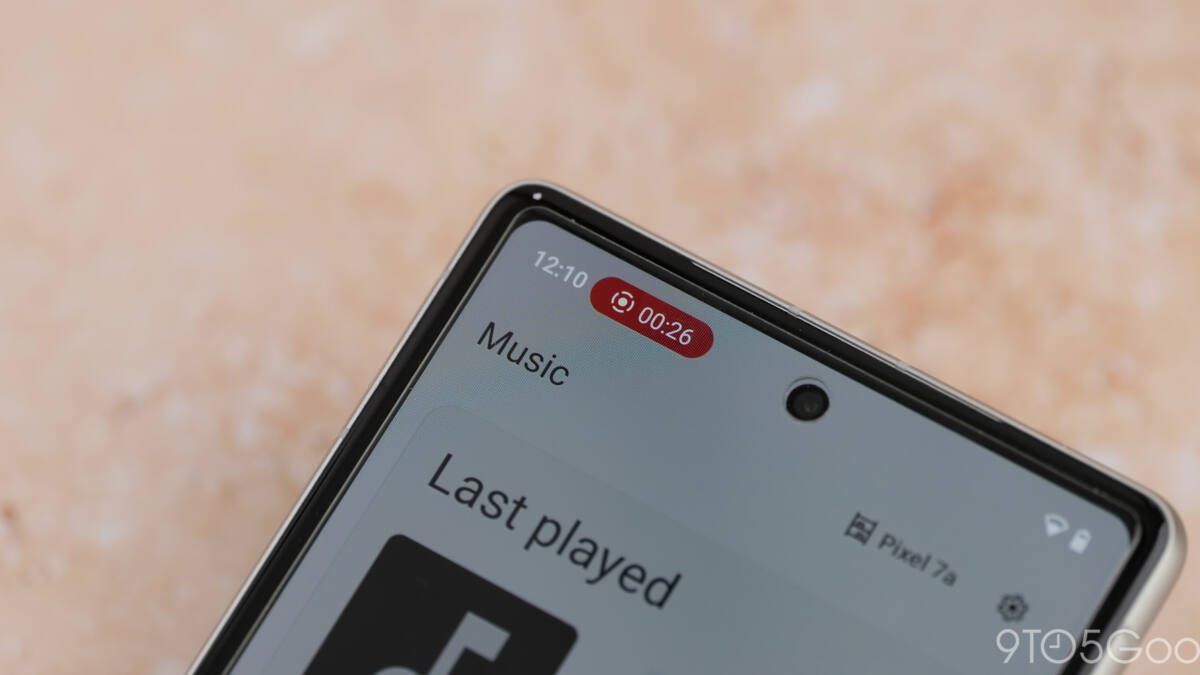
Google has shipped a fresh update to Android’s latest Canary build, introducing a streamlined pill-shaped menu for screen recording controls. This design swap trims the bulk of the previous pop-up, offering a more compact interface that returns when you tap the status bar indicator-unlike before, when the controls vanished once recording started.
The revamped screen recording UI customizes options depending on whether you’re capturing your entire screen or just one app. Full-screen recordings let you toggle device audio, microphone input, and show taps on the display. Single-app recordings lose the touch indicator option but add a choice of which app to record, alongside the usual audio toggles.
Stopping a recording now brings up a more integrated playback preview, where you can immediately edit, share, delete, or start a new capture-all without digging through notifications or separate apps. This marks an upgrade over the old notification-based system, which simply offered quick share or basic edits via the Photos app.
One notable omission compared to earlier glimpses of Android 17’s screen recorder is the absent drawing tool. Early leaks showed an integrated pen icon for on-screen annotations during recording, but that feature hasn’t made it into this Canary release. Google may still bring it back before the public rollout, though its fate remains uncertain.
Google also added privacy info to the new screen recording menu, giving users more context around what data is being captured. While still launched from quick settings rather than a dedicated app, the new design offers a more integrated and flexible user experience for Android’s screen recording feature.
This change reflects Google’s ongoing efforts to modernize Android’s system tools with cleaner layouts and better usability, keeping pace with competitors who have long offered more polished screen capture workflows. Expect further tweaks as Android 17 continues to develop.