

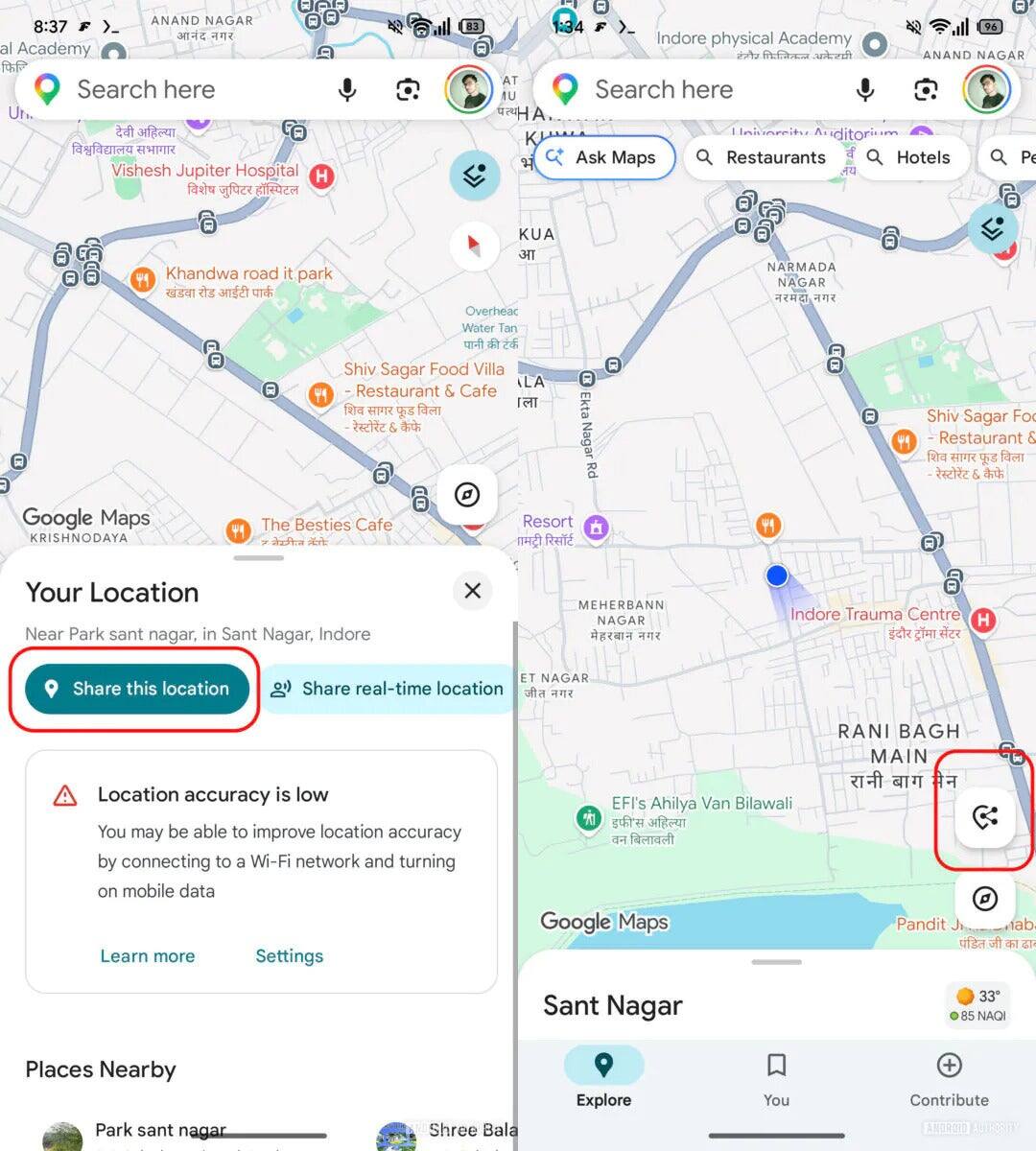
Google Maps is gearing up to simplify how users share their location, potentially reducing the need to switch to apps like WhatsApp or Google Messages for this task. A forthcoming update introduces a floating action button that bypasses multiple taps, making location sharing almost instantaneous right from the main Maps screen.
Currently, sharing your location on Google Maps requires tapping the blue dot representing your spot on the map and then selecting ”Share this location” in the ensuing overlay. But in the latest Google Maps beta (version 26.12.03.884026066), users can tap a floating button that appears directly on the map to jump straight to the share menu. The prompt lets you pick which app you want to send your location through, streamlining a process that felt clunky compared to other platforms.
Beyond the location-sharing upgrade, Google Maps’ navigation menu is also seeing a redesign. The old list format is giving way to a grid of larger icons, with some features consolidated or moved into the settings menu. Options like ”Share trip progress” and quick toggles for satellite view and traffic display will no longer clutter the main navigation interface. These adjustments indicate Google’s intention to declutter the experience, though some removed options may inconvenience power users who rely on quick toggles.
This update reflects Google’s push to make Maps not just a navigation tool but the go-to app for location sharing, cutting out the extra steps needed in messaging apps. While Apple Maps has long offered a slick location-sharing feature accessible with a quick upward swipe to ”Share My Location,” Google is closing that gap with these UI tweaks and shortcuts. The floating button disappears when users explore other areas, reducing screen clutter but keeping location sharing always at hand when needed.
Currently rolling out to a limited user base, this change could reshape Google Maps’ role in everyday communication if widely adopted. The move might also pressure messaging platforms to innovate or integrate better with navigation apps to maintain their relevance in location sharing.