

For all its polish and updates, Windows still misses some of the most straightforward productivity conveniences-features that PowerToys, a free Microsoft utility, quietly delivers instead. Whether it’s allowing your mouse cursor to wrap around the screen edges or offering an intuitive way to type special characters, PowerToys is quietly fixing Windows’ long-standing blind spots, decades after they first appeared.
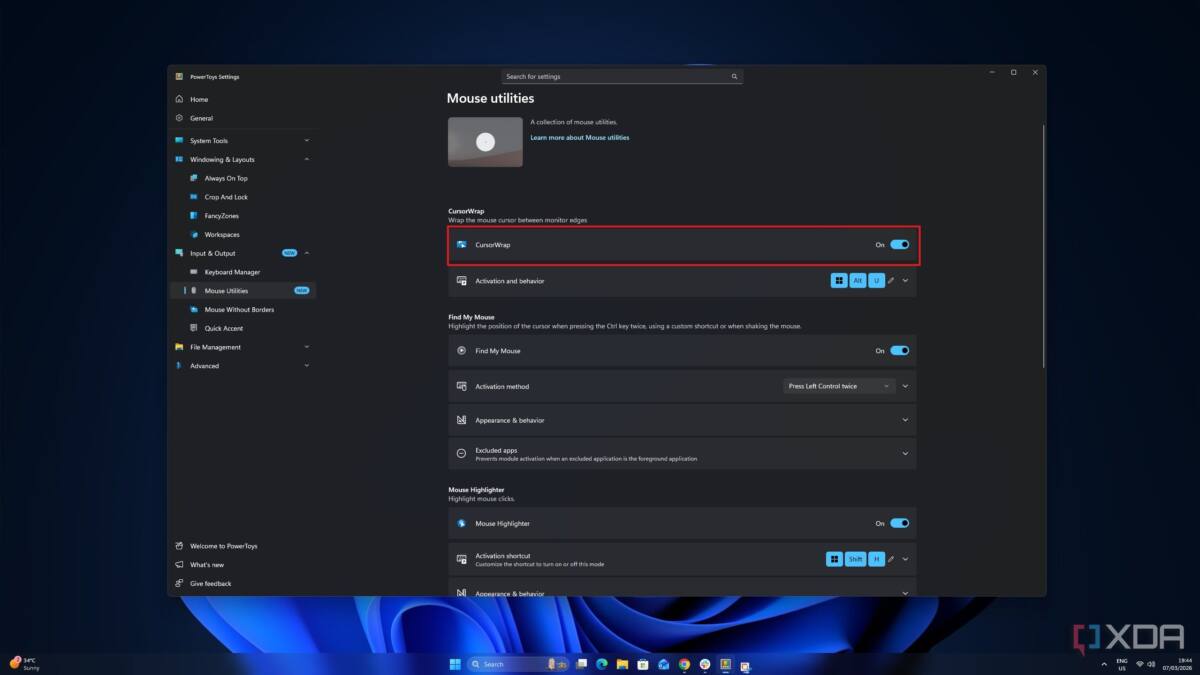
PowerToys recently added CursorWrap, a deceptively simple function that lets your mouse cursor slide off one side of the screen and reappear on the opposite edge, effectively turning your display into a seamless loop. This solves the often-overlooked nuisance of lifting and repositioning the mouse when it hits the screen boundary. It’s baffling that such a common-sense feature hasn’t been baked into Windows’ core, especially as mouse navigation is fundamental to desktop computing.
Another glaring gap PowerToys fills is how Windows traditionally botched local search. Instead of swiftly finding files or launching apps, Windows Search often redirects users to online Bing results-a source of daily annoyance for many. PowerToys’ Command Palette puts this to rest by providing a swift, keyboard-driven launcher that can run apps, scripts, and even administrative tasks, all without leaving the keyboard. For users hungry for efficiency, this feature is more than a tweak; it’s a step back to sane computing after years of forced online detours.
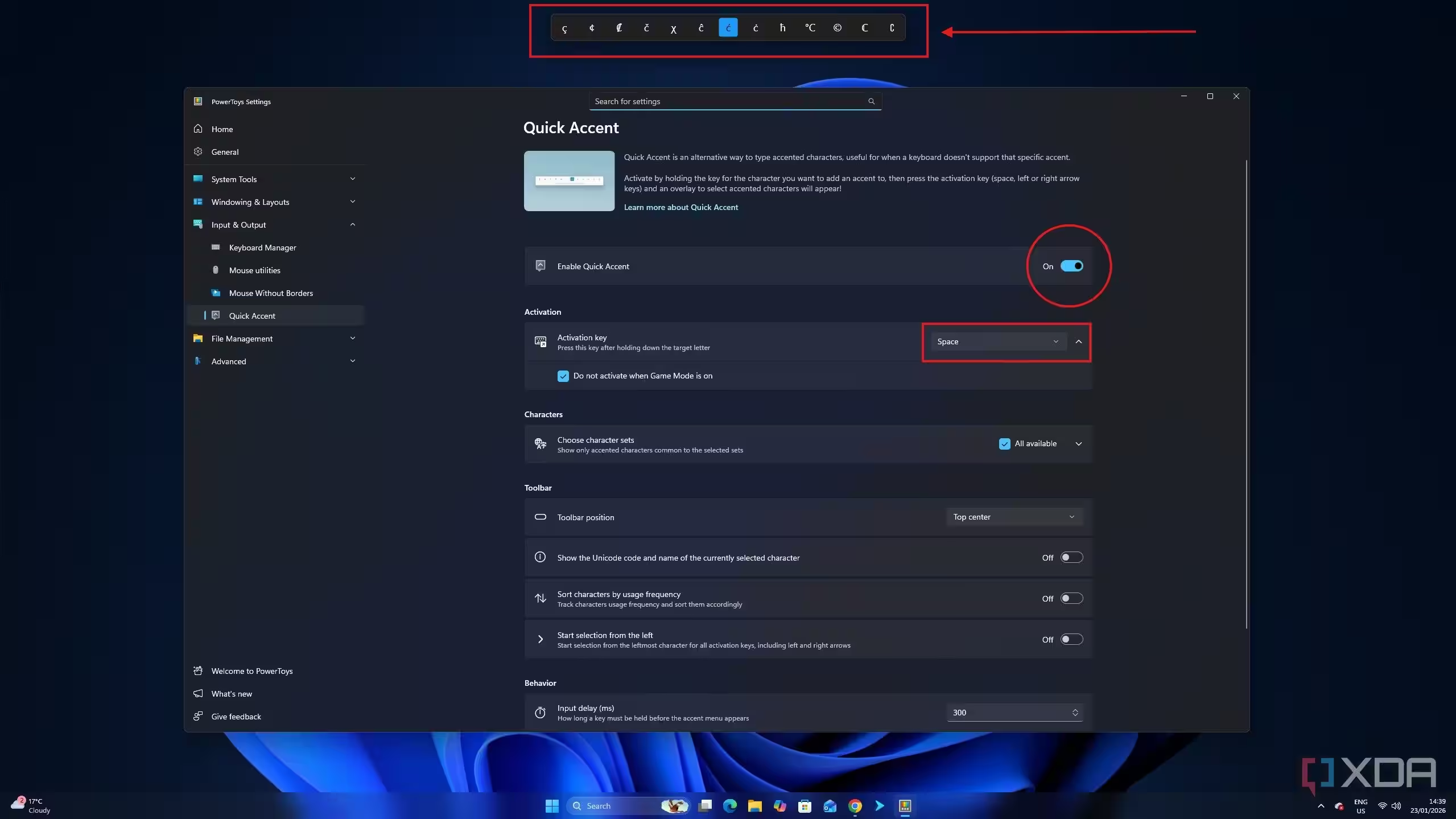
Typing accented or special characters also remains clunky on Windows. PowerToys’ Quick Accent feature finally introduces a simple way to access character variations by holding down a key, a convenience Apple introduced years ago. For writers and international users who often wrestle with Alt codes or copying characters from elsewhere, it’s a subtle change that slices away frustration and lost time.
The real head-scratcher is why Microsoft continues to let these useful, user-friendly improvements languish as separate downloads when they clearly make Windows more productive. PowerToys relies on users to discover and install it themselves-a big ask for less tech-savvy individuals who remain stuck with clunky built-in tools or, worse, intrusive bloat and ads creeping into their workflows.
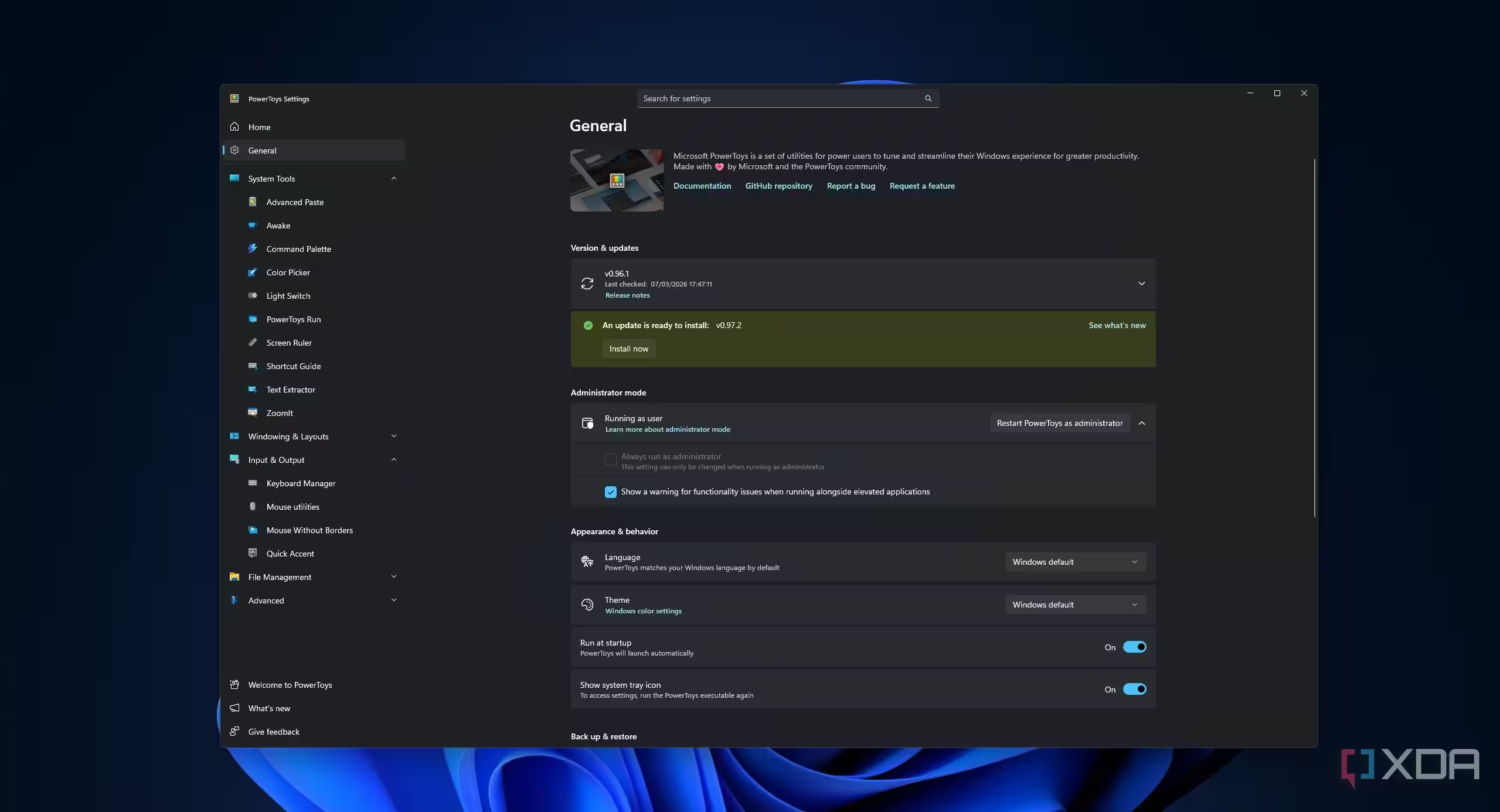
Worse still, many users don’t realize PowerToys even exists or are running outdated versions because update notifications are subtle or easily missed. Meanwhile, Microsoft continues to ship Windows bloated with questionable preloaded apps while the better tools sit in the shadows, waiting to be discovered by power users.
PowerToys is an impressive testimony to what Windows could be-fluid, efficient, and designed with user workflows in mind. But it also starkly illustrates where Microsoft chooses to focus its energy. As Windows’ core remains cumbersome, endless third-party workarounds will persist. The question now is whether Microsoft will finally integrate these essential fixes natively or keep relegating them to the sidelines as optional ”power-user” addons.