

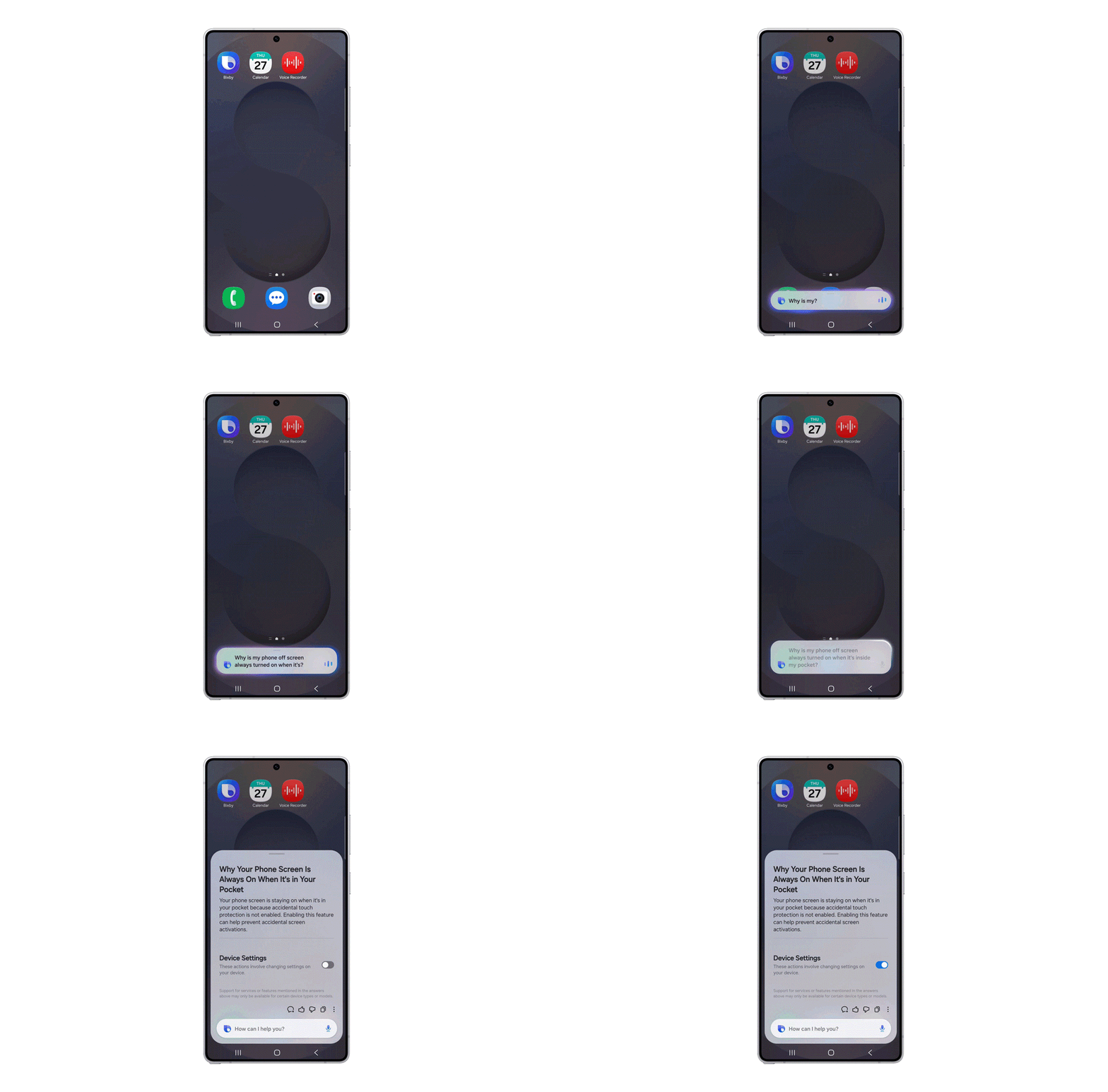
Voice assistants have a habit of turning simple requests into a vocabulary test: you either know the exact command or you get a menu. Samsung’s One UI 8.5 update tries to fix that by turning Bixby into a conversational device agent that understands intent rather than syntax.
What changed
With One UI 8.5, Samsung reworks Bixby so users can speak in everyday language and expect the assistant to infer the right setting or action. Ask it to keep your screen on while you read and it will find and toggle the relevant option; ask why a background task is draining battery and Bixby can suggest fixes. The assistant also gains built-in real-time web search so it can pull up-to-date information without bouncing you into a browser or another app. Samsung has confirmed the One UI 8.5 beta with the updated Bixby is rolling out in India, Germany, Korea, Poland, the UK and the US.
Why this matters
There are two problems Samsung is trying to solve. First, device settings are fragmented and jargon-heavy: even experienced users get tripped up by menu names that don’t match how people describe their needs. Second, assistants have long been split between controlling a device and fetching web answers. Combining intent-aware controls with live search closes that UX gap.
Where this sits in the wider assistant race
Major players have been pushing in the same direction. Google has been folding conversational AI and web-backed responses into Assistant and its Gemini family. Apple has leaned on on-device processing and tighter privacy controls for Siri improvements. Amazon and Microsoft continue to weaponize assistants across services and devices. Samsung’s move isn’t unique, but it is notable because Bixby has historically been more about device hooks than fluent conversation.
Samsung has tried to make Bixby useful before-voice control rolled out around the Galaxy S8 era and later iterations tried to tie the assistant into phone features-but adoption lagged behind rivals. Shifting Bixby toward natural language intent parsing is a practical, overdue fix rather than a branding relaunch.
The trade-offs and open questions
Making an assistant conversational is one thing; making it accurate and trustworthy is another. Success depends on a few technical and policy factors Samsung has not fully answered publicly:
– Accuracy across languages and regional dialects. Natural language parsing must handle phrasing that varies by country and by user. The beta rollout spans multiple markets, which should reveal where Bixby struggles.
– Where the heavy lifting happens. If intent parsing and web search rely on cloud models, users may face latency and privacy trade-offs. If Samsung pushes more processing on-device, it will need efficient models that fit phones without compromising battery life.
– How web search is presented. Integrating real-time search into the assistant is convenient, but it creates new surface area for misinformation and sourcing problems unless Samsung clarifies how results are chosen and attributed.
Who wins, who loses
Users stand to gain the most if Bixby actually reduces friction for everyday tasks. Samsung benefits too: a more capable assistant tightens the experience across Galaxy devices and could make Bixby less of a second choice. Competitors aren’t necessarily losing-Google Assistant and Siri remain deeply embedded across Android and iOS-but Samsung staking a clearer claim to conversational device control raises the bar for what counts as a usable assistant on a phone.
What to watch next
Pay attention to three signals during the beta: how well Bixby handles non‑literal requests in each market, whether Samsung explains where data and computation occur, and how the assistant surfaces and sources web results. If those answers are solid, this update will be a meaningful quality-of-life improvement. If not, it will be another ambitious feature that feels smart in demos but brittle in daily use.
Either way, One UI 8.5 makes the competition clearer: conversational, context-aware assistants are now table stakes, and vendors will be judged more on usefulness than novelty.
Follow the beta in the listed markets and test Bixby against your most common device frustrations-things like battery behavior, notification muddles and display settings are the low-hanging fruit that will determine whether users actually switch from tapping menus to talking naturally.
One UI 8.5’s Bixby aims to act more like a conversational device agent, interpreting intent and offering contextual help rather than requiring rigid commands.
Samsung One UI 8.5 announcement