

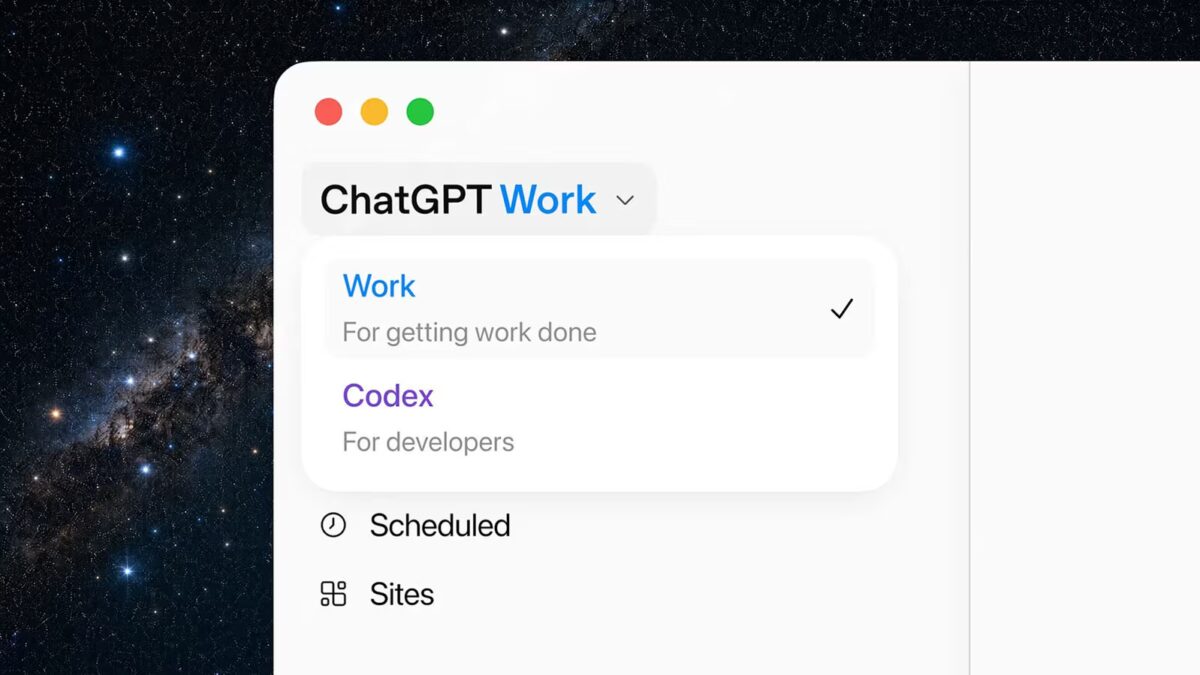
OpenAI just rolled out ChatGPT Work, a new mode that combines the ChatGPT chatbot, the Codex coding assistant, and a built-in browser into a single interface. Designed to tackle complex, multi-step tasks – from summarizing Slack conversations to building internal web tools – ChatGPT Work marks OpenAI’s boldest push yet toward creating the ”super app” the company has hinted at since March.
Under the hood, ChatGPT Work runs on the newly introduced GPT-5.6 model family. Most users will see it integrated into the refreshed ChatGPT app, which now hosts three main components side by side: the standard chat, the Work agent, and Codex. This setup lets you start a task on your phone, then pick it up on your desktop or in the web app to see what the Work agent has already accomplished.
One of the standout new features is task scheduling. ChatGPT Work can run assignments in the background and complete them without constant user input. On desktop apps for Mac and Windows, the agent taps into system functions, interacts with other applications and browsers, and can even transfer files between them, automating workflows rather than just prompting users step by step.
Key features of ChatGPT Work
- Powered by GPT-5.6 models
- Unified interface combining ChatGPT, Work agent, and Codex
- Task creation on mobile with background execution
- Built-in browser within desktop app
- Plugin support and integration with third-party work tools
- Web app creation through the Sites feature
OpenAI is leaning heavily on integrations to make ChatGPT Work a genuine workplace assistant. A unified plugin catalog lets users link ChatGPT with various enterprise tools and services. Typing ”@” in a prompt brings up a menu of connected apps, allowing the agent to pull context from those tools or perform actions within them. It’s the kind of functionality that can simplify routine tasks like compiling weekly Slack summaries.
The rebuilt ChatGPT app also incorporates a native browser, capable not only of searching and reading websites but also of creating lightweight web apps using a new Sites feature. OpenAI envisions use cases including live dashboards, project trackers, launch calendars, prototypes, internal portals, and interactive reports. Meanwhile, OpenAI has decided to discontinue Atlas, a separate browser project that once seemed part of this ecosystem. Atlas’s shutdown date is August 9, per its developer James Sun.
The rollout of ChatGPT Work starts today and will complete within 24 hours. Free users can try the Work agent through the desktop ChatGPT apps on both Mac and Windows, while Plus and Pro subscribers get access in the web interface as well.
OpenAI enters an already crowded enterprise assistant field. Microsoft embeds its Copilot AI across Windows and Microsoft 365; Google integrates Gemini into Workspace; Slack, Notion, and Zoom add AI features for summaries, search, and meeting automation. But OpenAI’s approach is distinct: it aims to deliver a full-fledged workspace inside its own app, rather than inserting assistants into third-party products. With ChatGPT boasting hundreds of millions of weekly users, OpenAI has a ready audience for this ambitious experiment.
ChatGPT Work is a significant step toward OpenAI’s vision of a multi-tool AI hub that can morph fluidly between chat, coding, browsing, and task automation. How well it’ll mesh with existing workplace ecosystems or sway users away from embedded assistants remains an open question. But given its broad feature set and deep integrations, ChatGPT Work could redefine how AI supports complex workflows-and it’s definitely one to watch this year.