

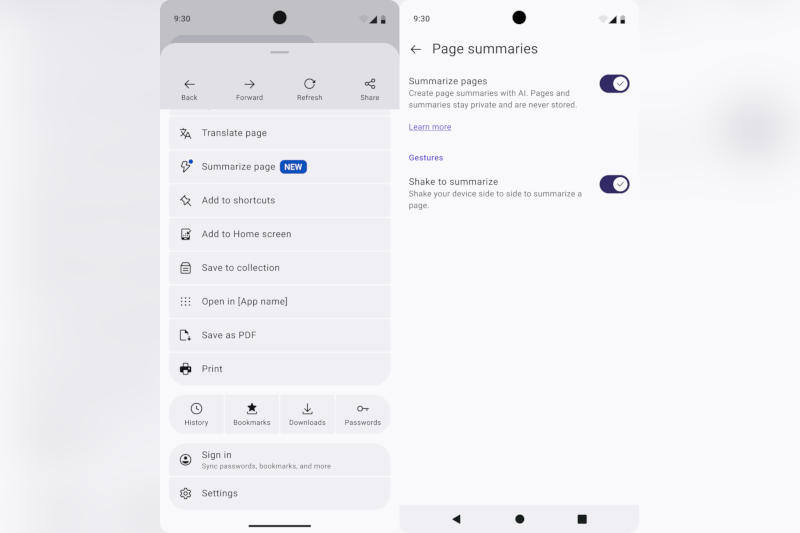
Mozilla has added a surprisingly physical shortcut to Firefox 152.0 for Android: shake your phone, and the browser can generate a short summary of the page you are reading. It is a neat little feature, and it shows where mobile AI is heading – less chatty assistants, more built-in utilities that try to save a few taps.
The Firefox for Android page summaries feature uses Mistral Small 3.1, and it is available not only through a shake gesture but also from the address bar or the three-dot menu. That makes it easier to find than some AI tools that hide behind layers of app menus, although Mozilla is still keeping a few guardrails in place.
Firefox for Android summary limits
The feature works only on text up to 5,000 words, does not handle paywalled pages, and is unavailable in private browsing mode. For now, it supports English only. That puts it behind the broad, multilingual ambitions of many browser vendors, but it also avoids the usual trap of overpromising and underdelivering.
Mozilla has also been careful about control. Page summaries are enabled by default, but users can turn off the shake shortcut, disable page summaries entirely, or switch off all AI features in one place. In other words, the browser is trying to be helpful without pretending every user wants a phone that constantly thinks on their behalf.
How Firefox for Android compares with other AI browsers
Browser makers have been racing to bolt AI onto the reading experience, from side-panel assistants to built-in recaps and search prompts. Mozilla’s approach is more restrained: it puts the summary right where the article is, which feels more useful than another floating chatbot icon asking whether you need help with a page you are already on.
- Model used: Mistral Small 3.1
- Trigger options: shake gesture, address bar, three-dot menu
- Limits: up to 5,000 words, no paywalled pages, no private browsing mode
- Language support: English only
What Firefox users should expect next
The obvious question is whether people will actually shake their phones for summaries or just use the menu once and forget the gesture exists. My guess: the shortcut will survive as a party trick, while the real value comes from the browser quietly folding AI into everyday reading without demanding a new workflow.