

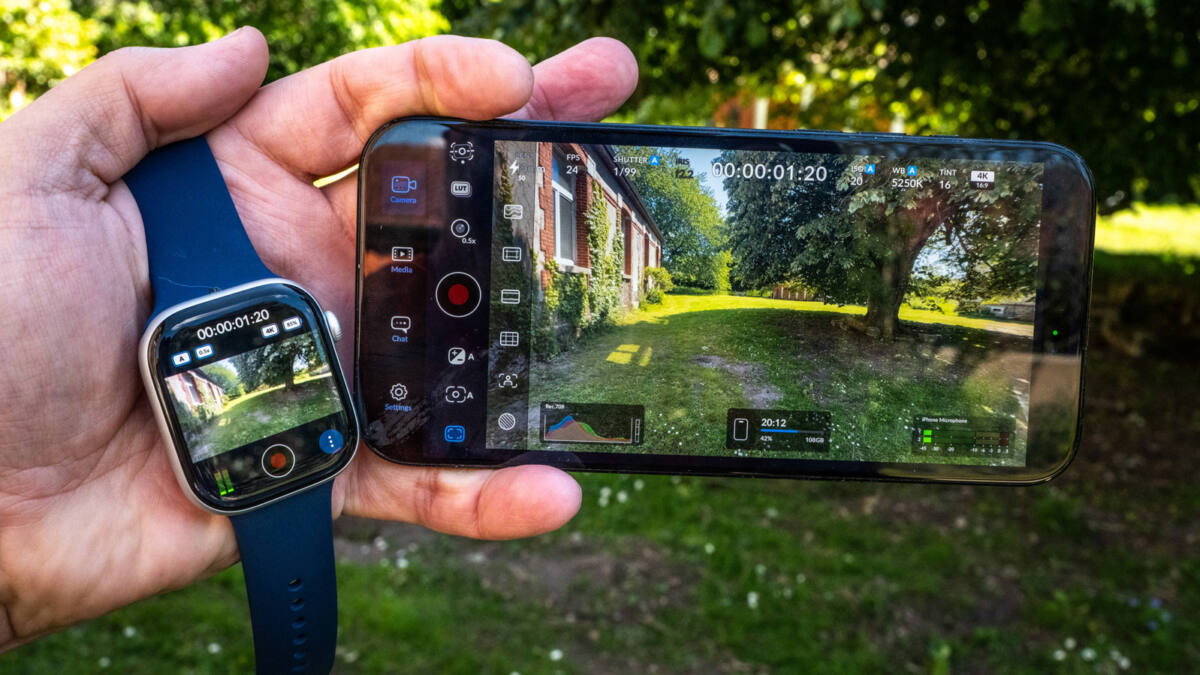
Blackmagic’s Camera app keeps edging closer to what solo iPhone creators actually need, and version 3.3 adds one of the more practical upgrades yet: Apple Watch control. The free app already offers manual camera controls, ProRes capture, scopes, and LUTs, but now vloggers can start recording, monitor the feed, and tweak key settings from their wrist instead of racing back to the phone.
That sounds like a gimmick until you try filming yourself without a crew. A wrist view and a record button are genuinely useful when the phone is on a tripod, perched on a clamp, or held at arm’s length. Blackmagic is also leaning into the same audience that has helped the app spread in the first place: creators who want more control than Apple’s built-in Camera app offers, but do not want to pay a subscription tax for the privilege.
Blackmagic Camera 3.3 adds Apple Watch control
The new Watch companion app mirrors a surprising amount of the iPhone interface. It can show the current LUT, autofocus setting, lens, resolution, and battery level, while audio meters and the record button sit below the preview. You can also toggle autofocus, auto exposure, auto white balance, stabilization, and the iPhone’s light from the watch face, with the Digital Crown used to switch lenses.
In use, the setup is aimed squarely at people shooting themselves. The watch display is small, of course, and the feed can lag or freeze now and then, but it is still good enough for vlogging and quick self-shoot setups. That is the sort of trade-off Apple Watch users already know well: tiny screen, real convenience.
Blackmagic Camera features on iPhone
The broader appeal of Blackmagic Camera has not changed. Apple’s camera app is fine for casual snaps and the occasional video clip, but it still lacks the manual shutter and white balance controls, codecs, scopes, and LUT tools that more serious video work demands. Blackmagic wraps those features in an interface that feels much less like a pro camera menu system that escaped into the wild.
- Manual shutter, ISO, white balance, and focal length control
- Video codecs including 10-bit ProRes, H.264, and H.265
- Scopes such as false color, zebras, focus peaking, and histograms
- Open-gate capture for vertical and horizontal output
There is also a useful stabilization story here. Blackmagic now supports stabilization for ProRes RAW capture on iPhone 17 Pro models, assuming you are running iOS 26.1 or later. That matters because ProRes RAW is the sort of feature that sounds great right up until you discover the software gaps that make it annoying to use.
Free is still the sharpest part of the pitch
Blackmagic’s smartest move is the simplest one: the app is free. Competing iPhone camera apps from companies like VSCO and Adobe tend to lean on paid tiers or subscriptions, which makes Blackmagic’s pricing look almost rude in comparison. The new Apple Watch support and ATEM Mini control only strengthen that position, especially for solo creators who want more than Apple gives them without opening a second monthly bill.
The catch is that this is still a tool for people willing to learn a lot of controls. If you want a single tap and instant success, the stock iPhone camera remains the easier option. But if Blackmagic keeps adding this kind of remote control and workflow support, it is starting to look less like a niche pro app and more like the default answer for serious phone video. The next interesting question is whether Apple responds with a stronger native video toolset, or leaves this corner of the market to third parties.